

Graphic guide to updating works
We can update our record on the Works tab. Here we search for our work, mark it, and then open the Other actions button, where we select the Rewrite selected work option.
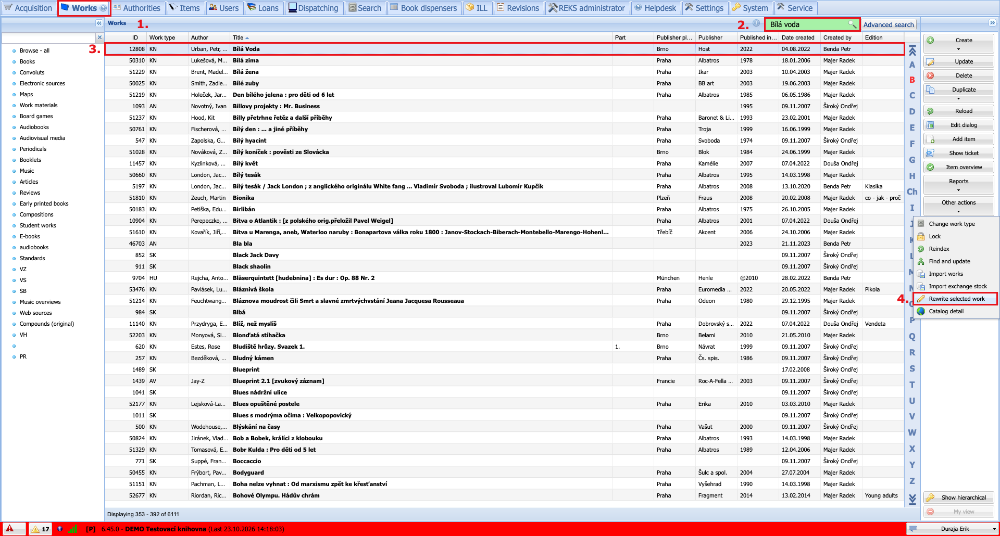
(fig. 1)
The data from our record are transferred to the search and the records available on the Z-servers are displayed. We select a suitable record with which we want to update our work and click the Rewrite button.
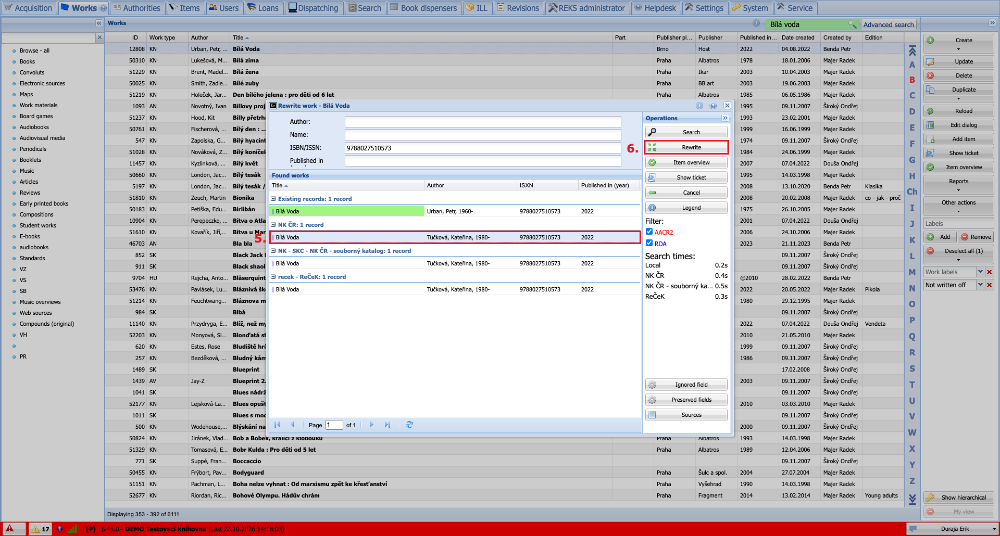
(fig. 2)
A window appears informing us that our existing work will be overwritten with the selected record from the Z-server. We confirm the action by clicking Refresh.
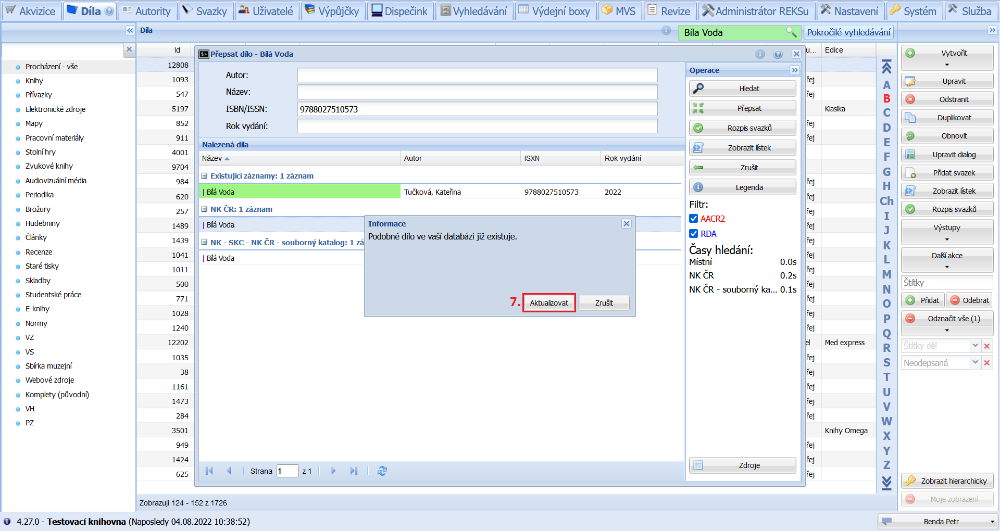
(fig. 3)
A form with the new record then opens, where we can check or edit the new data on the individual tabs. If we are satisfied with the record, we complete the update by clicking the Save and close button. Our record is thereby completely overwritten with the selected record from the Z-server.
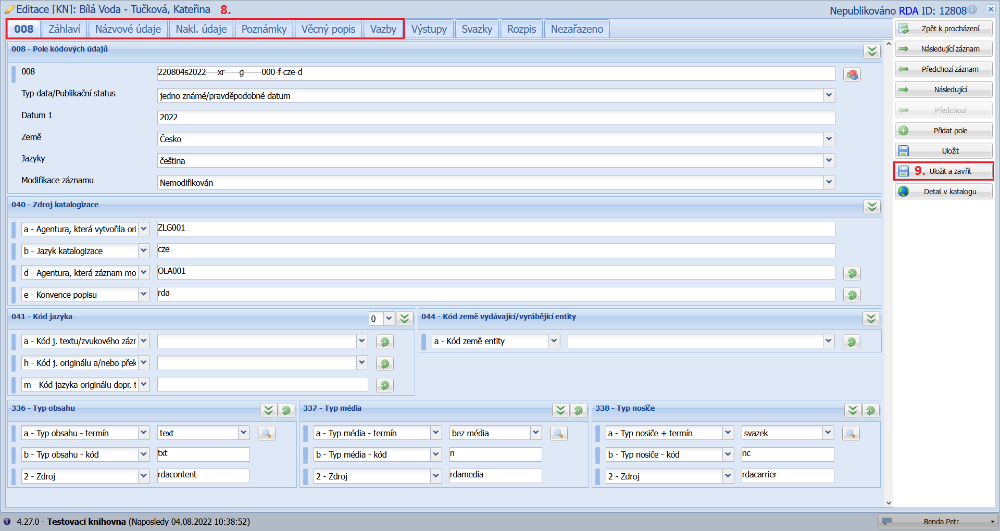
(fig. 4)