

Graphic guide to compounding periodicals
Last modified by Erik Duraja on 2026/10/23 11:58
In cataloguing, on the Works tab, we search for and open the record of the periodical we want to compound. In the record we select the Periodical sheet and click the Compound button.
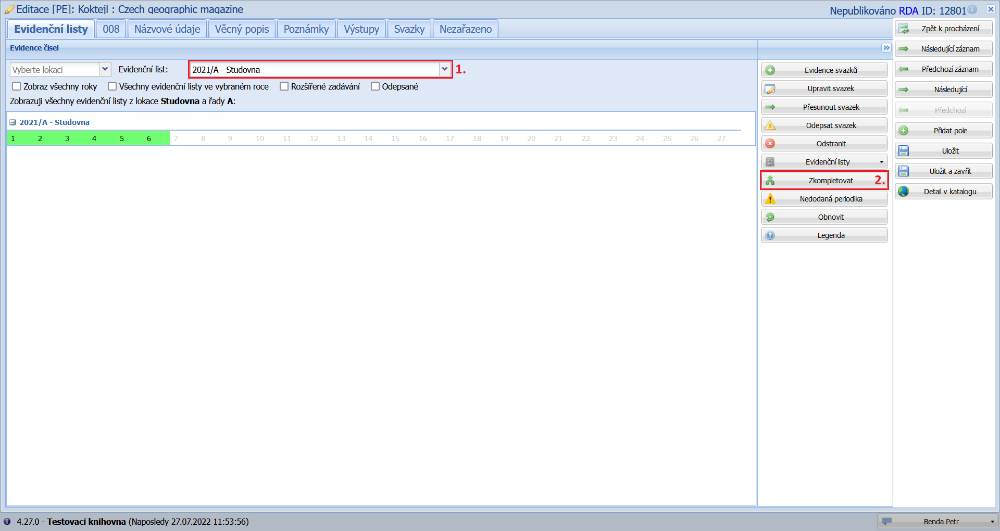
(fig. 1)
If necessary, we adjust the range of issues to be compounded. Next we can edit the designation of the compound. The location of the compound is taken from the location of the periodical sheet. We can change it if we want. When we have filled in all the necessary data, we click the OK button. Depending on whether the Write off compounded issues option is ticked, the individual issues of the periodical are written off and a new item of the compound is created with the barcode entered in the compounding window.
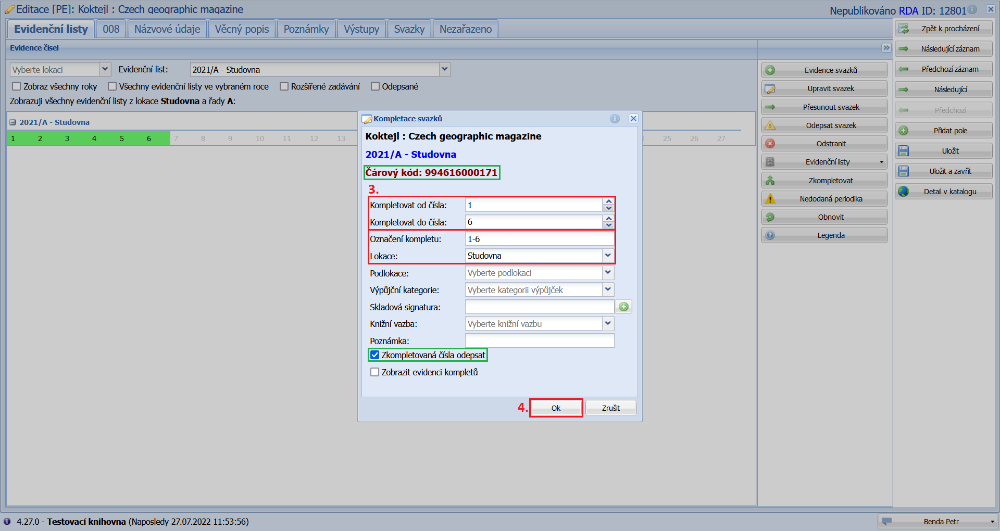
(fig. 2)