

Graphic guide to moving items between works
Last modified by Erik Duraja on 2026/10/23 14:25
On the Items tab, under the Other actions button, we click the Move item function.
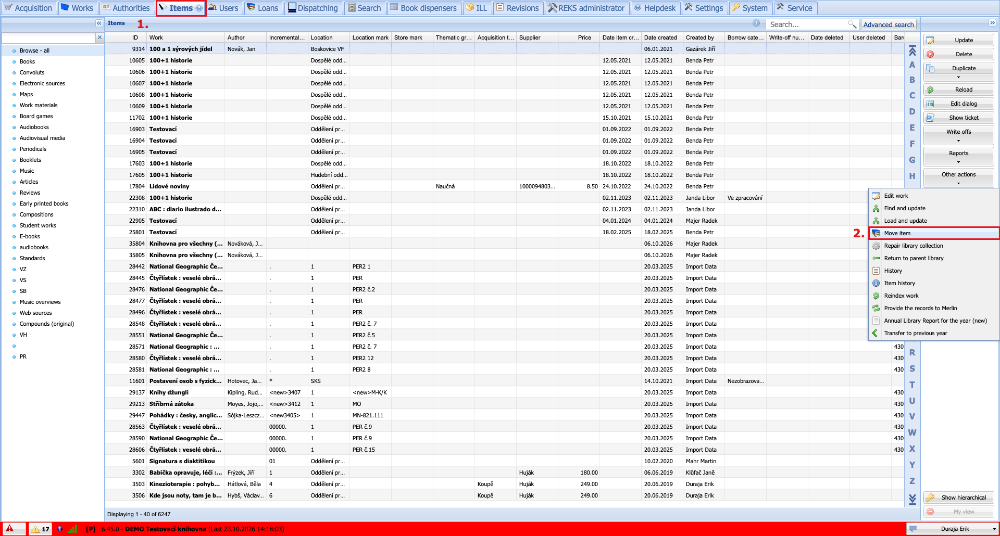
(fig. 1)
By clicking the Find button we select the work to which we want to move the items.
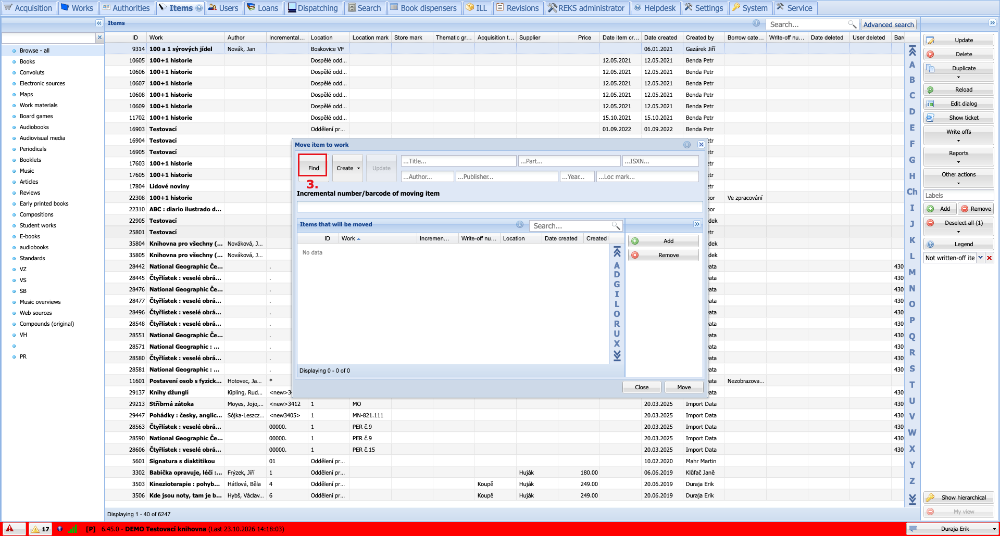
(fig. 2)
If the work record is in the list of our works, it is enough to search for it, mark it by clicking, and press the Select button. If we did not yet own the work, we would have to create a new record by clicking Create in the same way as in cataloguing.
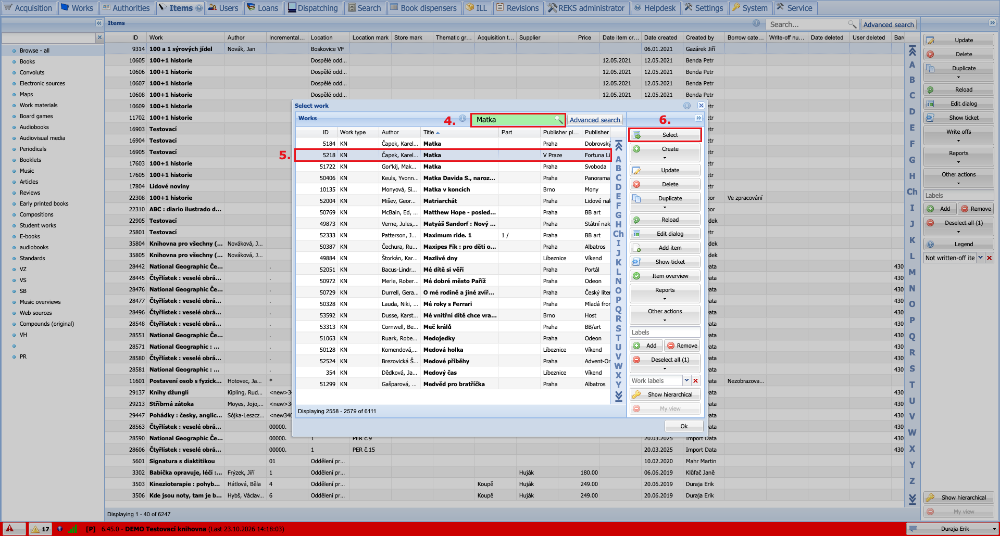
(fig. 3)
The selected work is now shown in the window header. We can start scanning barcodes or typing in the incremental numbers of the items that we want to move to this work.
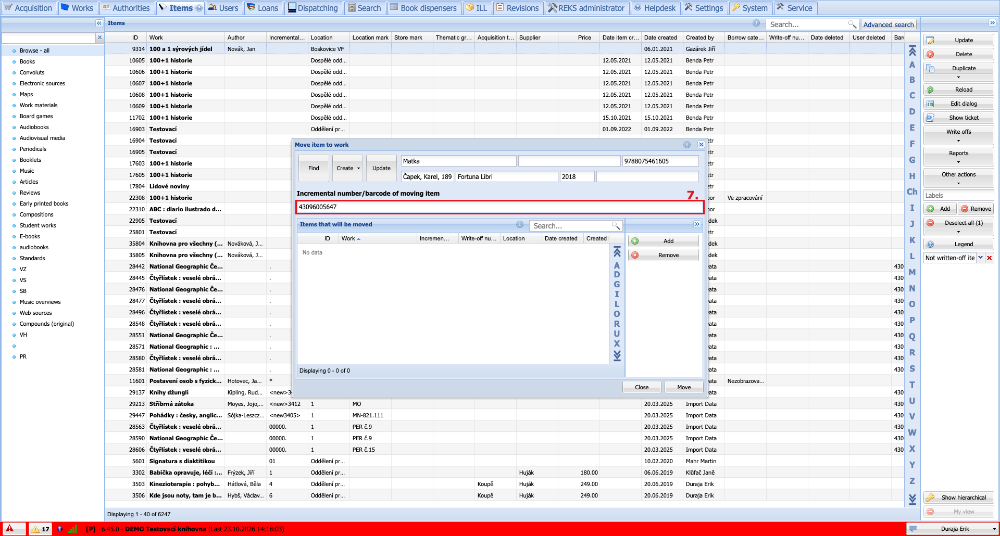
(fig. 4)
All the items we have scanned are shown in the table. We move them by clicking the Move button.
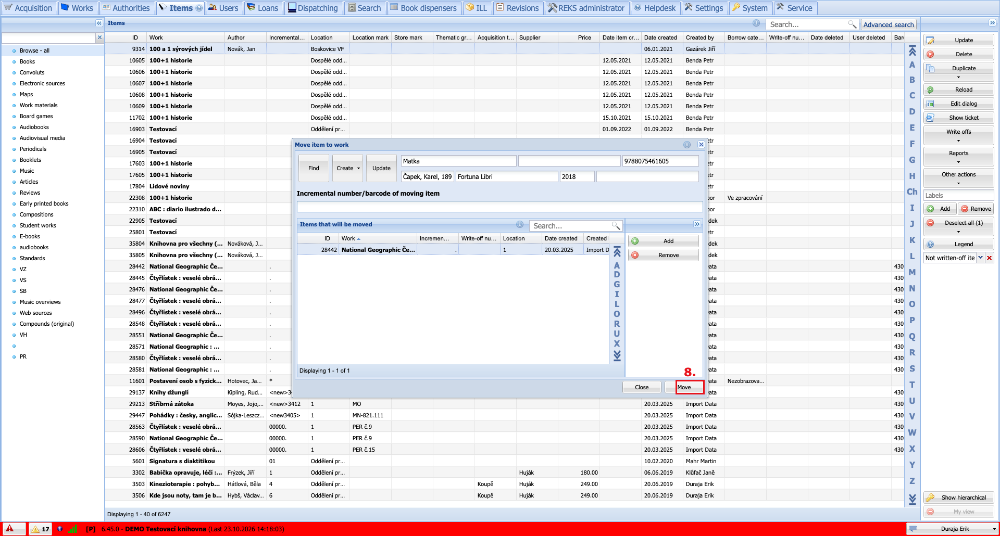
(fig. 5)