

Graphic guide to the annual library report
Electronic submission (from 2026 - for 2025)
Downloading from Tritius
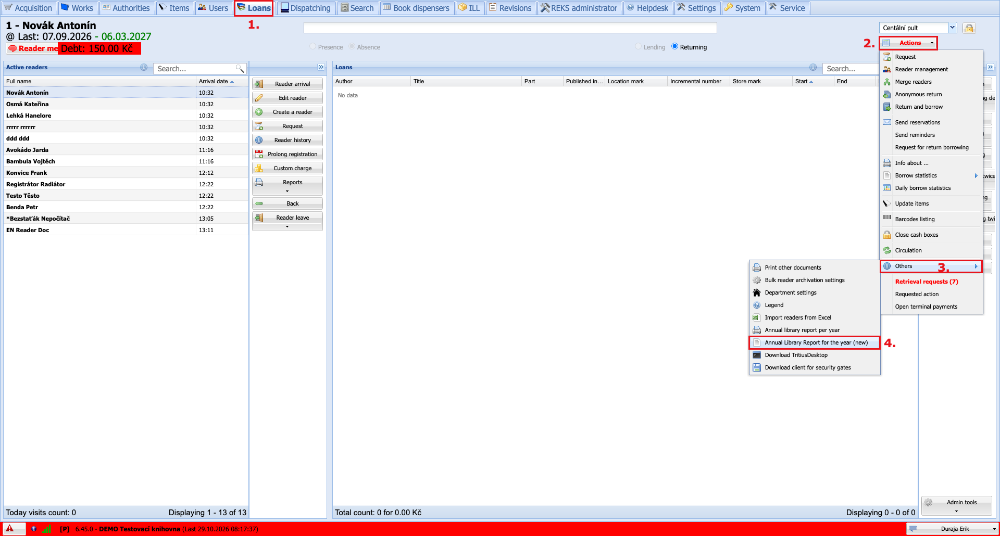
On the Loans tab we click Actions, then Others, and here we select Annual Library Report for the year (new).
(fig. 4a)
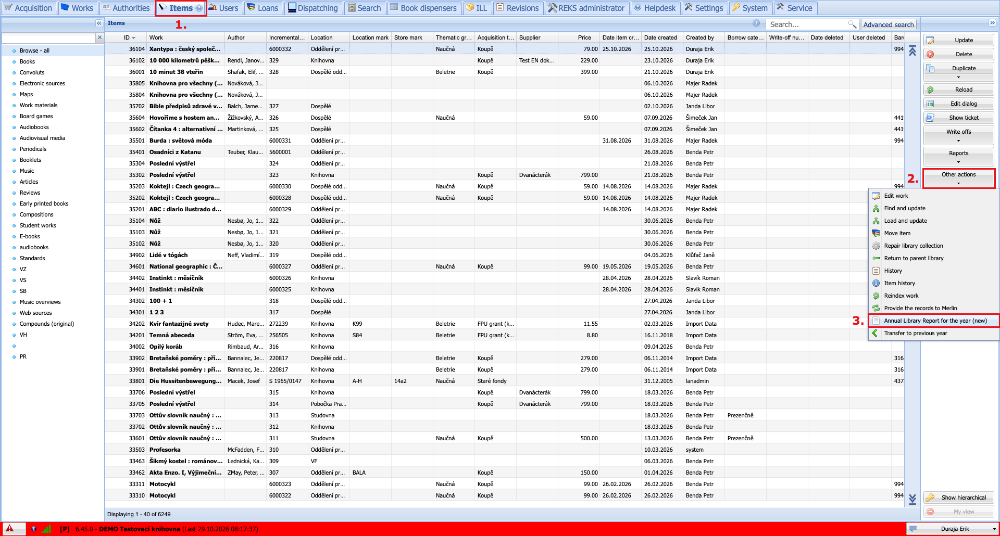
If we do not see the Loans tab, we can also print from the Items tab. Here we click Other actions and select Annual Library Report for the year (new).
(fig. 4a)
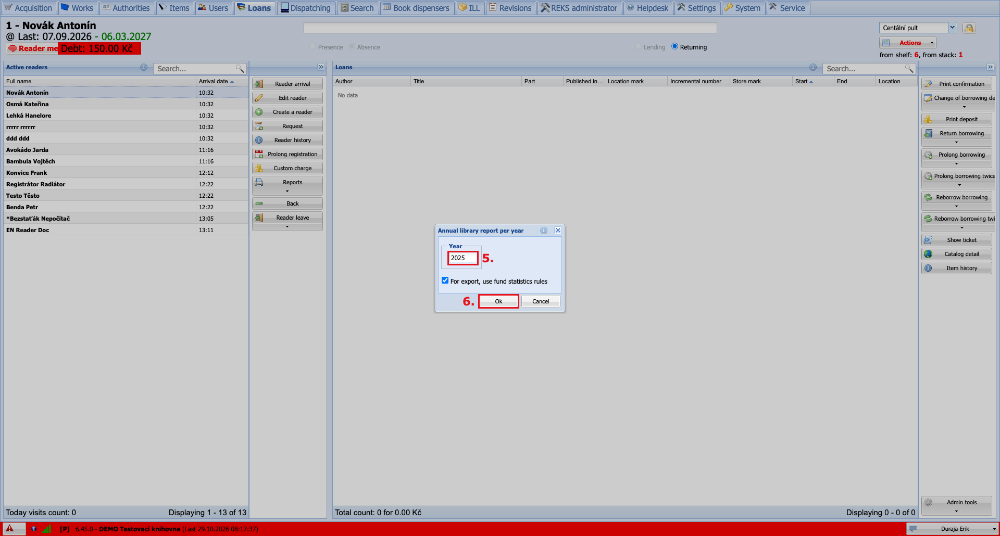
Into the field we enter the year for which we want to generate the statistics, and click Confirm.
(fig. 5)
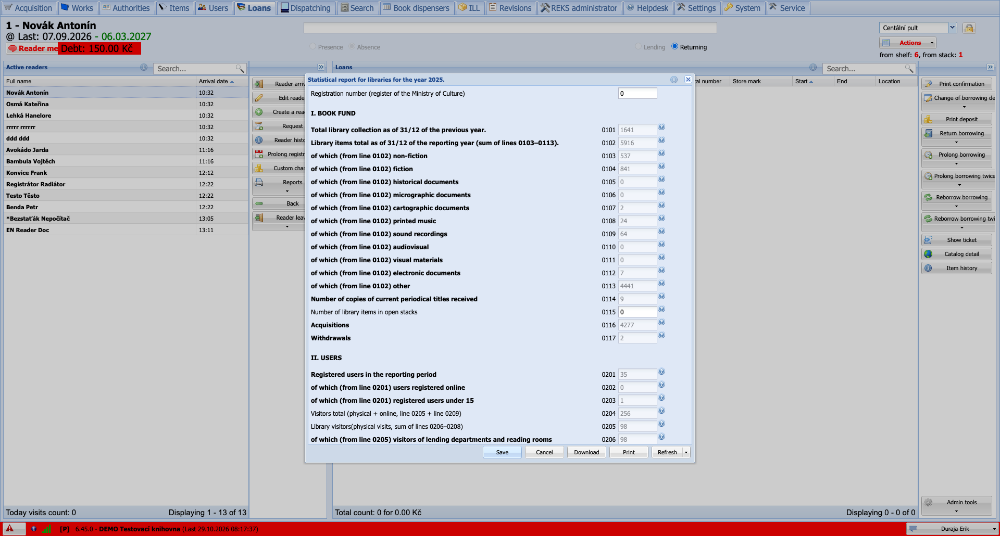
A form then appears, in which:
- We fill in our registration number.
- The numbers generated by the system cannot be edited and are calculated automatically from the Tritius data, or from other values that we fill in.
Description of the buttons:
- Save - Saves the form in progress so that it is possible to continue later.
- Cancel - Discards all unsaved changes.
- Download - For the currently filled-in form, generates a file that can be uploaded/submitted on the NIPOS website.
- Print - For the currently filled-in form, generates a PDF, just as the original annual report did.
- Refresh - Reloads all the calculated values from the current Tritius data.
- Reset - Discards all work, so that the user can start completely from the beginning.
The data are saved per library, so all users work with a single form.
(fig. 6)
Uploading to NIPOS
We log in on the NIPOS website.
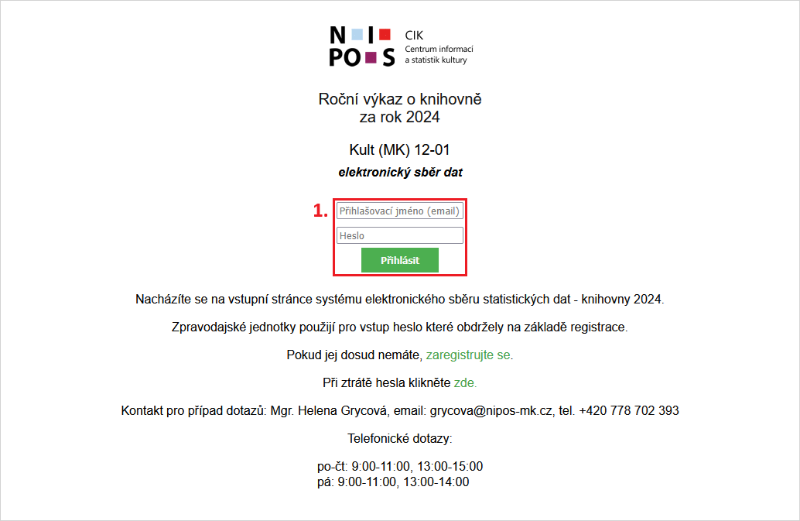
(fig. 7)
We click Your report.
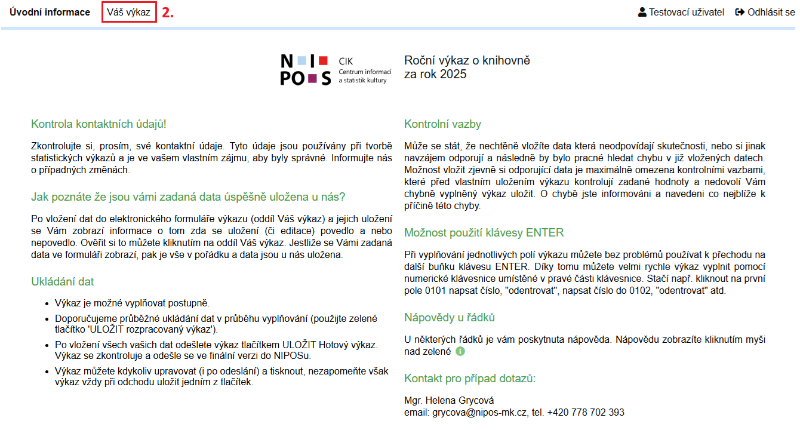
(fig. 8)
At the bottom we click the Import from JSON file button, into which we then upload the JSON file that we downloaded from Tritius.

(fig. 9)
We confirm the data transfer with the Copy data to form button.
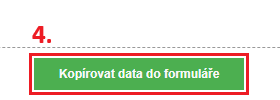
(fig. 10)
PDF version (until 2025)
On the Loans tab we click Actions, then Others, and here we select Annual library report per year.
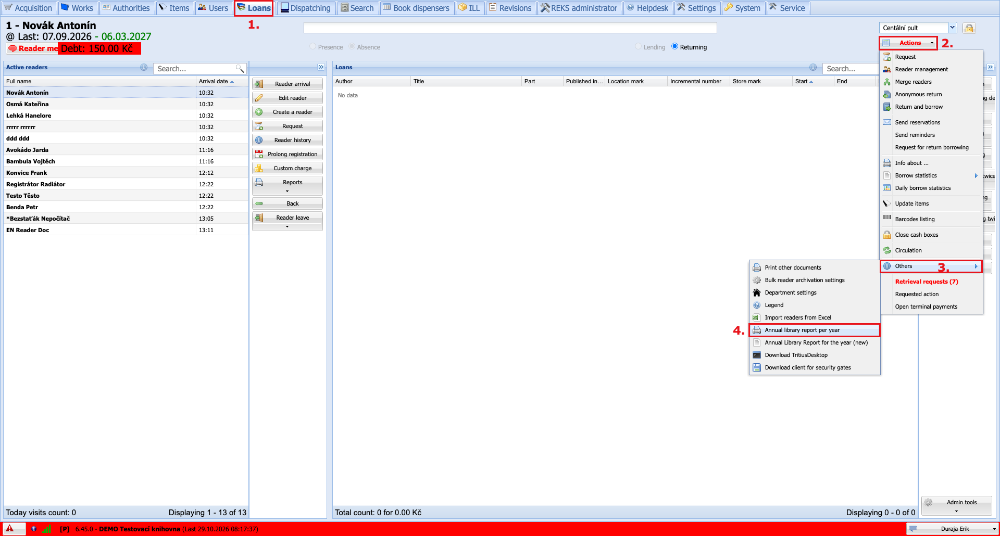
(fig. 1a)
If we do not see the Loans tab, we can also print from the Items tab. Here we click Reports and select Annual library report per year.
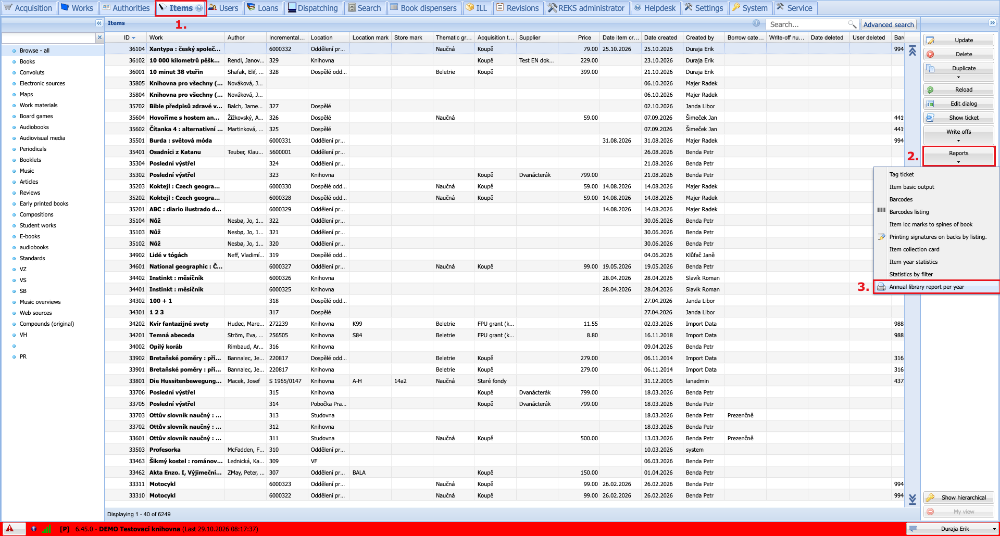
(fig. 1b)
Into the field we enter the year for which we want to generate the statistics, and click OK.
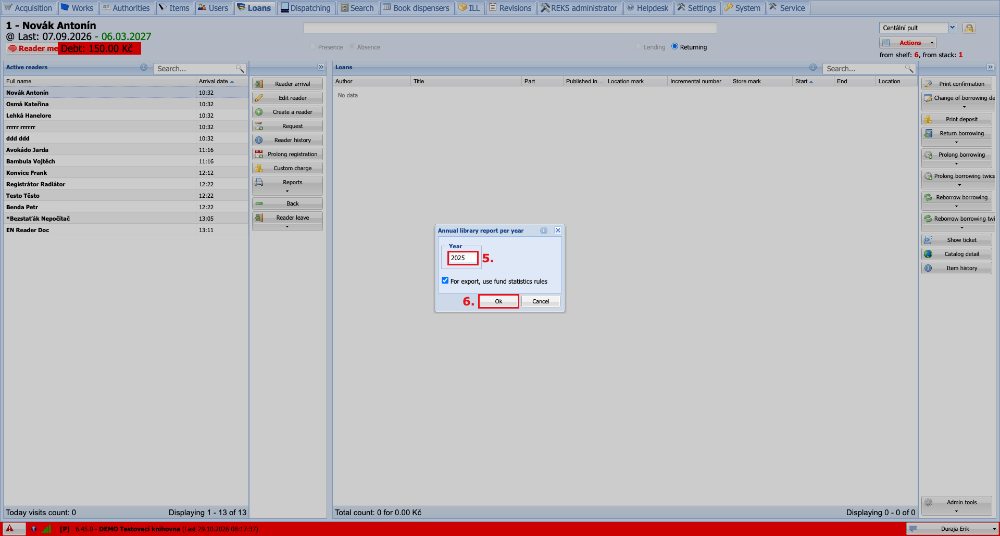
(fig. 2)
We select the print output and choose PDF as the file format. The output is generated within several tens of seconds. We can then save it, or open and print it.
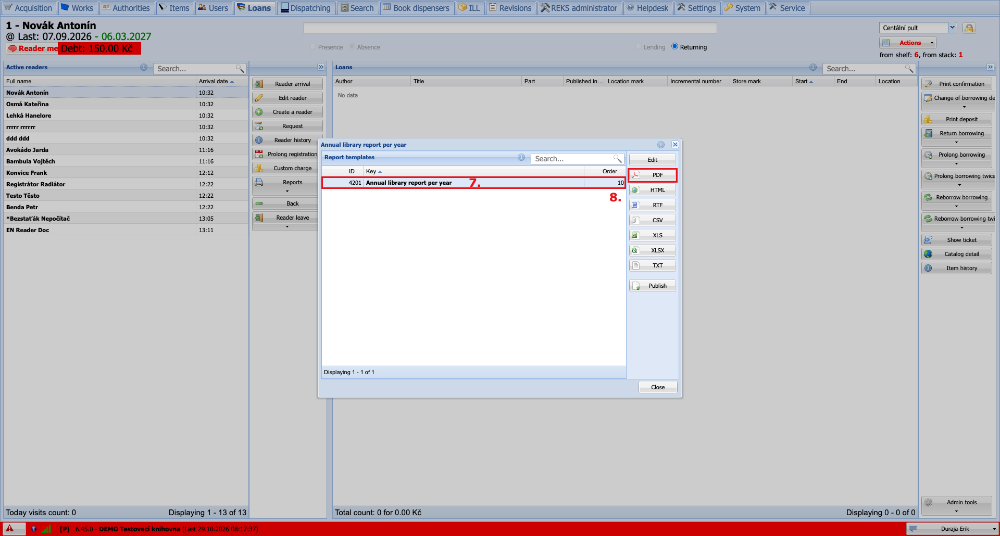
(fig. 3)