

Graphic guide to merging readers
Merging readers is the best way to fix duplicate users. Merging combines all the information of both readers, such as loans, reservations, etc., under one user and the other (duplicate) user is deleted. This action also removes one reader number, which is released at the same time.
On the Loans tab we click Actions and select Merge readers.
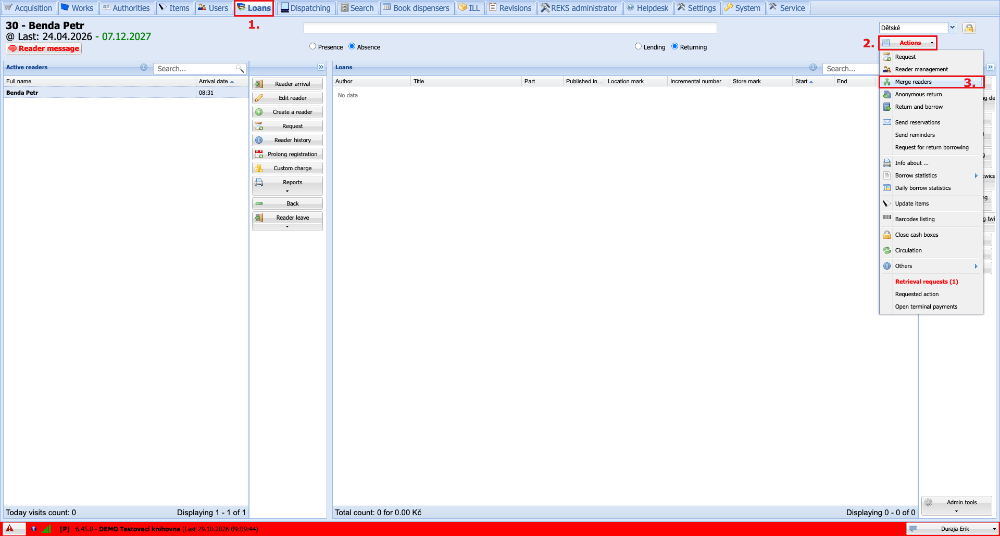
(fig. 1)
By clicking the green plus button we add the readers that we want to merge.
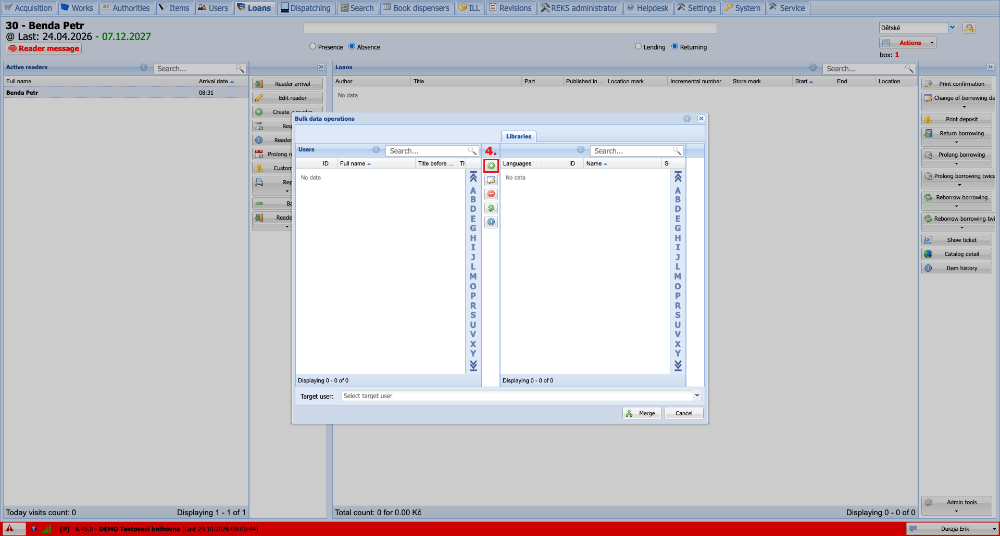
(fig. 2)
In the table of duplicate readers we mark the readers that we will be merging and click Select.
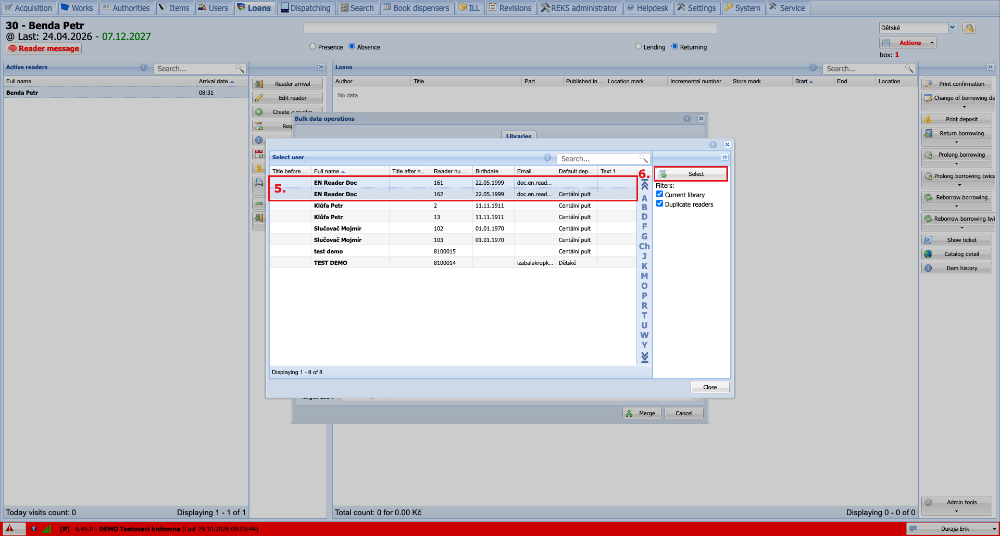
(fig. 3)
The marked readers are transferred to the merge window. In the dropdown at the bottom we select the target reader. That is the one who will remain preserved after the merge; the other readers will be deleted. We then carry out the merge by pressing the Merge button.
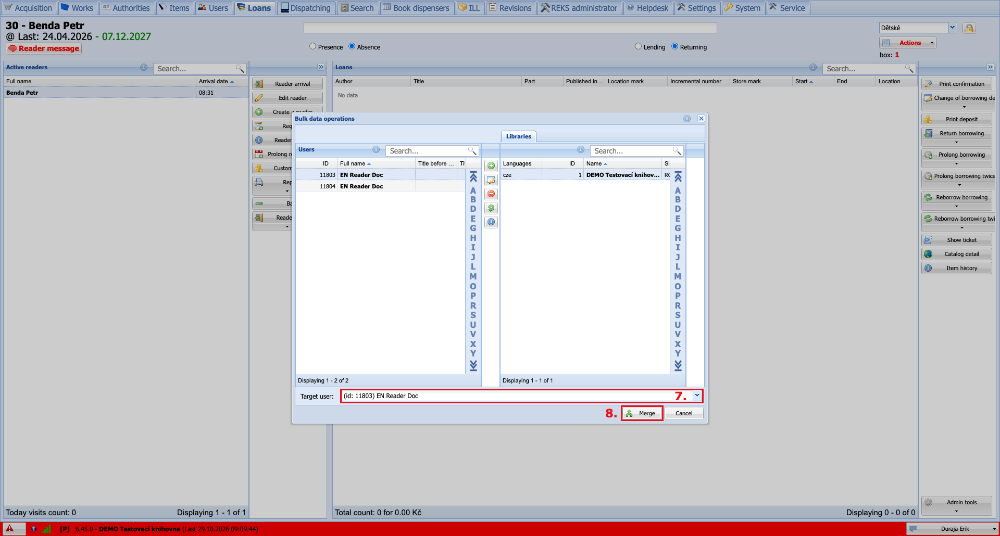
(fig. 4)