

Graphic guide to printing the accession list
On the Items tab we choose the work type for which we want to print the accession list. Then we click the Advanced search button, where we switch to the Combined search tab. Here we set the parameters for searching the items that we will print on the accession list. Most often this will be the Item date created. Then we click the Search button.
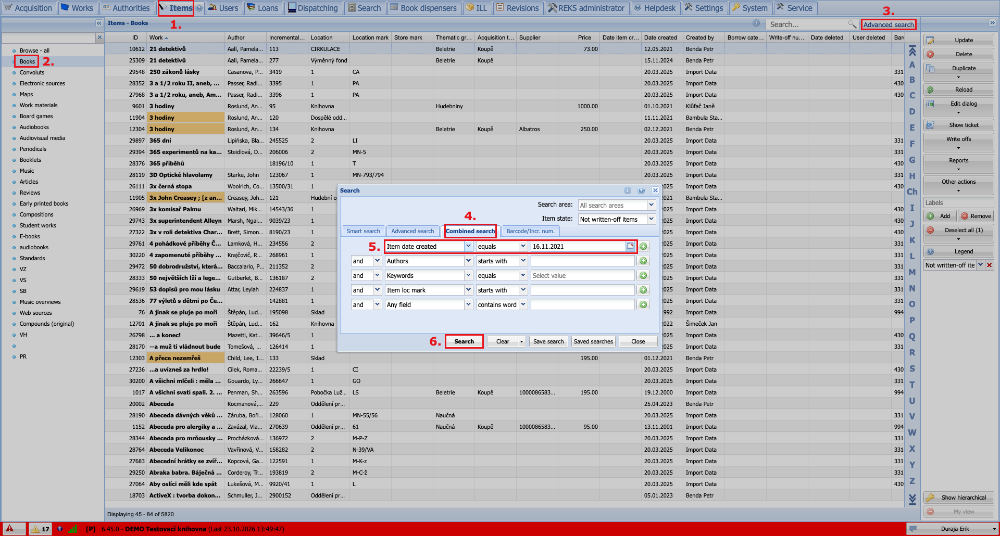
(fig. 1)
We now see the items found in the overview of items. Before printing, it is advisable to sort the items by incremental number. We do this by clicking the Incremental number column header. Then we expand the Reports button and select the Item basic output option.
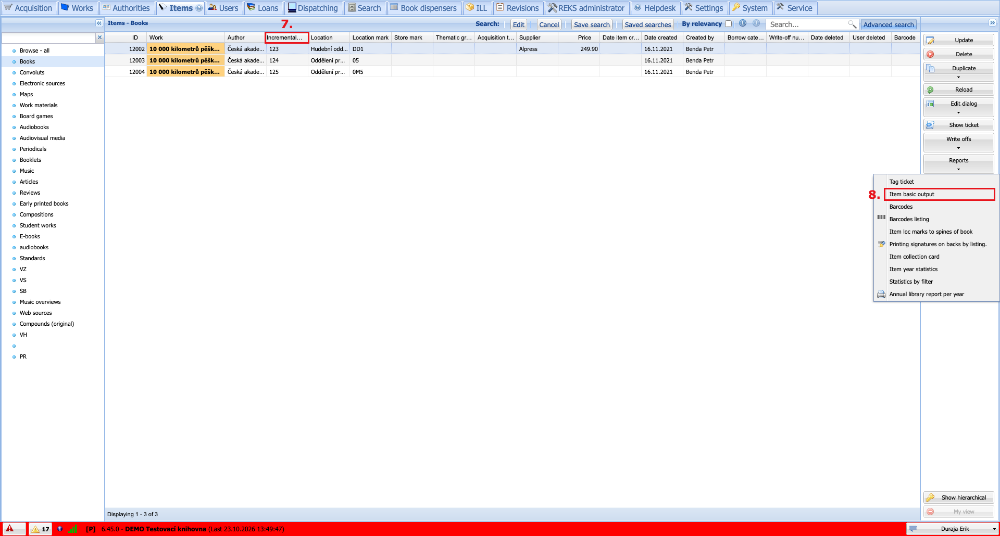
(fig. 2)
In this window we select the output whose format suits us and click the PDF button. This generates a PDF file of the accession list, which we can print.
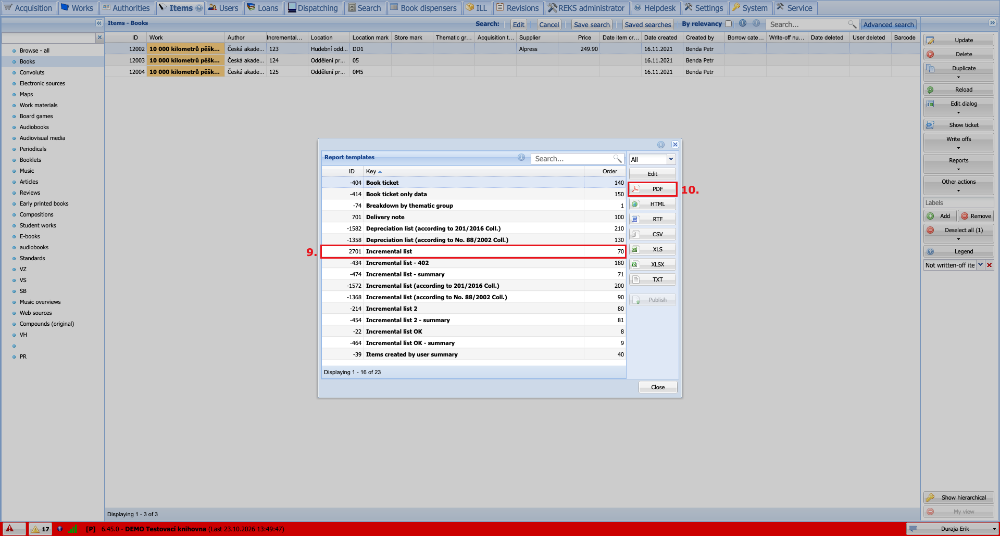
(fig. 3)