

Graphic guide to editing / deleting a paid charge on a reader's account
Last modified by Erik Duraja on 2026/10/23 13:40
Editing paid charges
Paid charges can be edited in the Reader history on the Charges tab. We mark the charge we want to edit and click the Change record button.
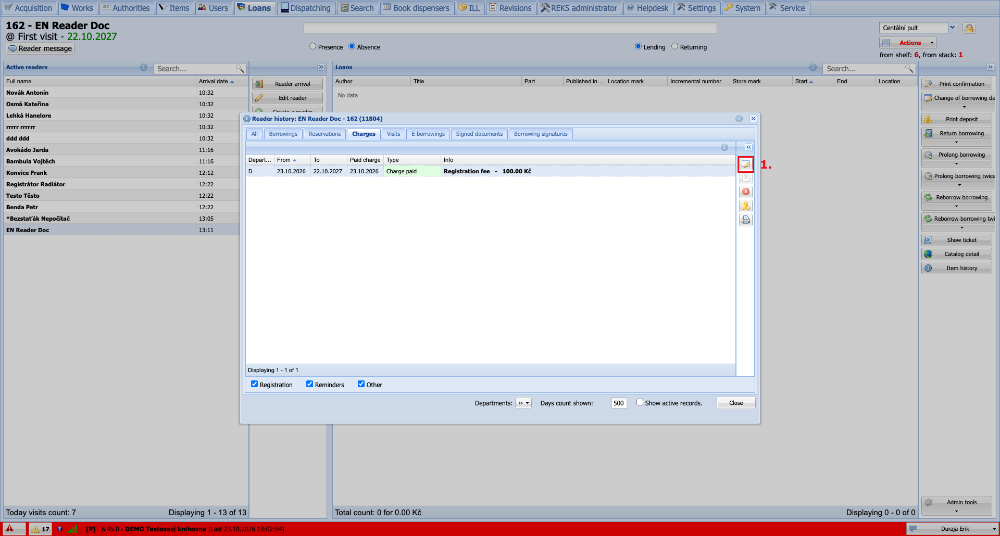
(fig. 1)
Now we clear the Payment date and the payment method Paid by. Then we click Edit. This also deletes the receipt number and frees it for use with new charges.
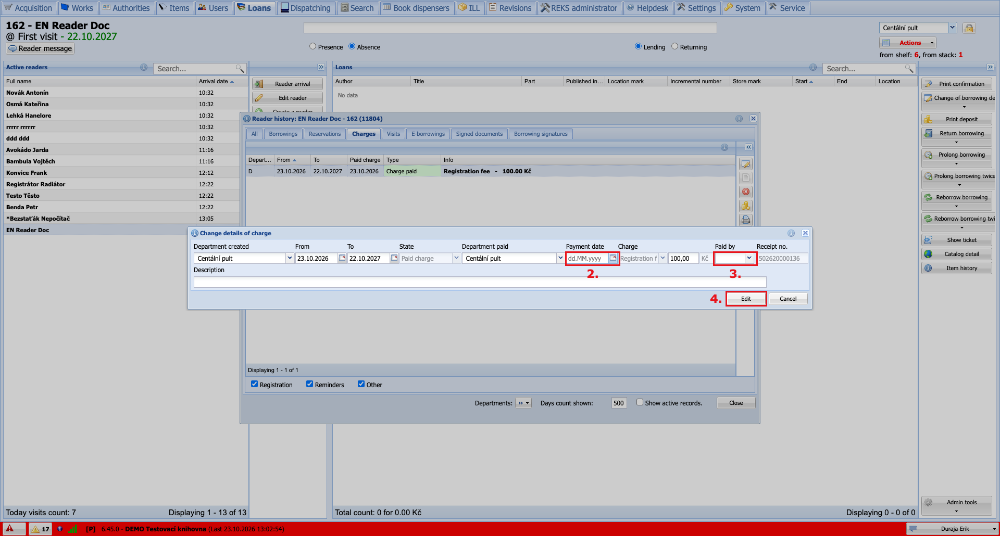
(fig. 2)
Deleting a charge
A charge can be deleted by marking it and pressing the Delete button.
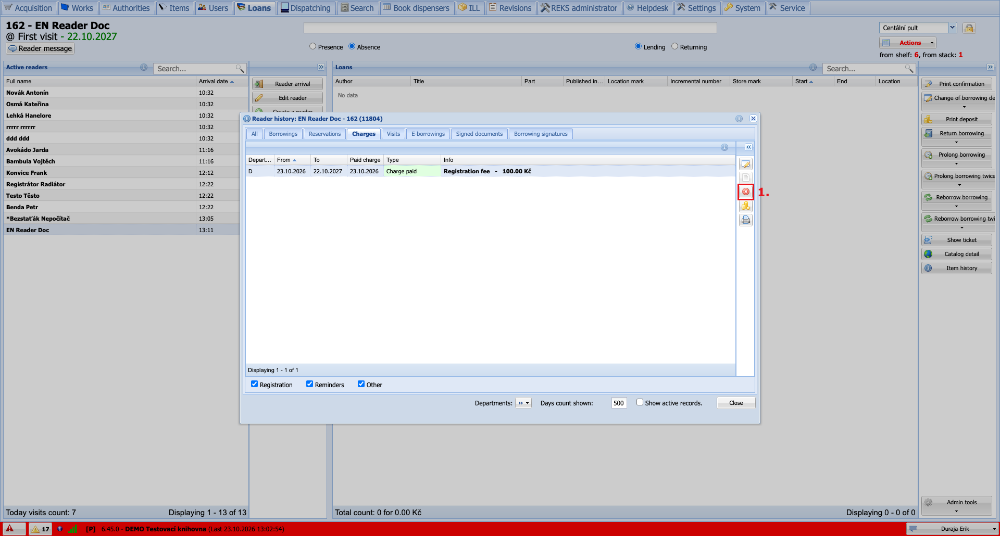
(fig. 3)