

Graphic guide to changing the user password
Last modified by Erik Duraja on 2026/10/23 12:57
In the bottom right corner we expand, by clicking, the menu with the name of our user profile and select the Edit user profile option.
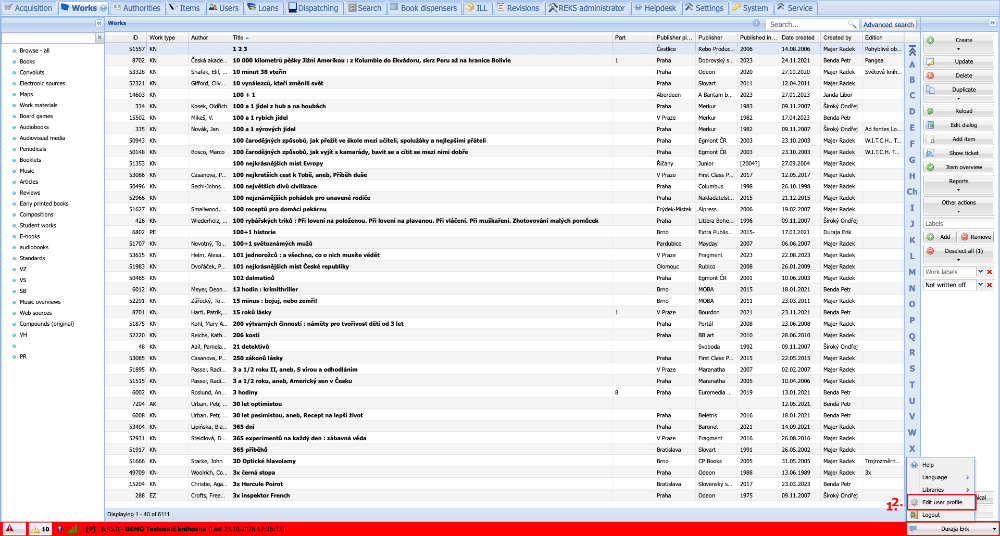
(fig. 1)
Into the small window we enter our current password and perform the verification by clicking Ok.
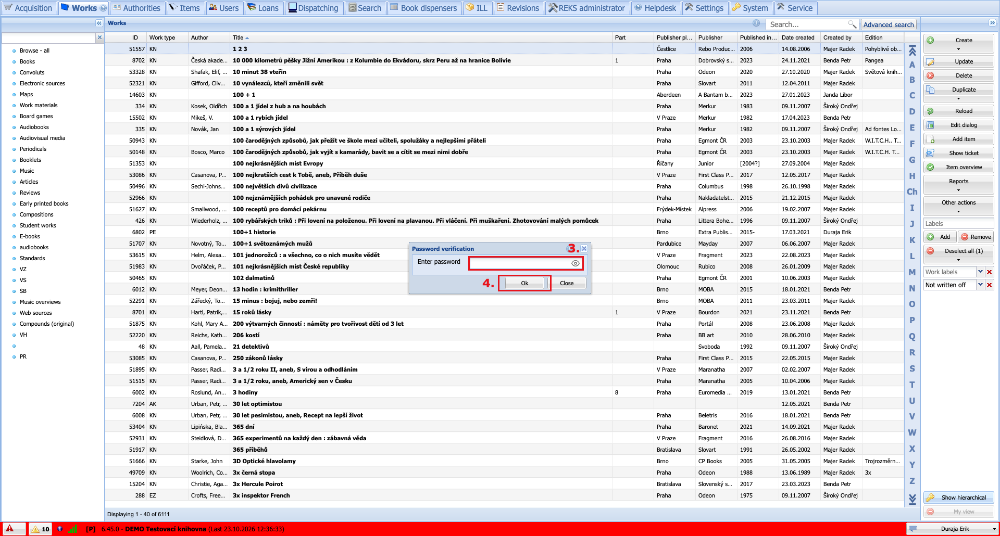
(fig. 2)
In our profile we fill in the new password twice for verification and confirm the change by pressing the Save button.
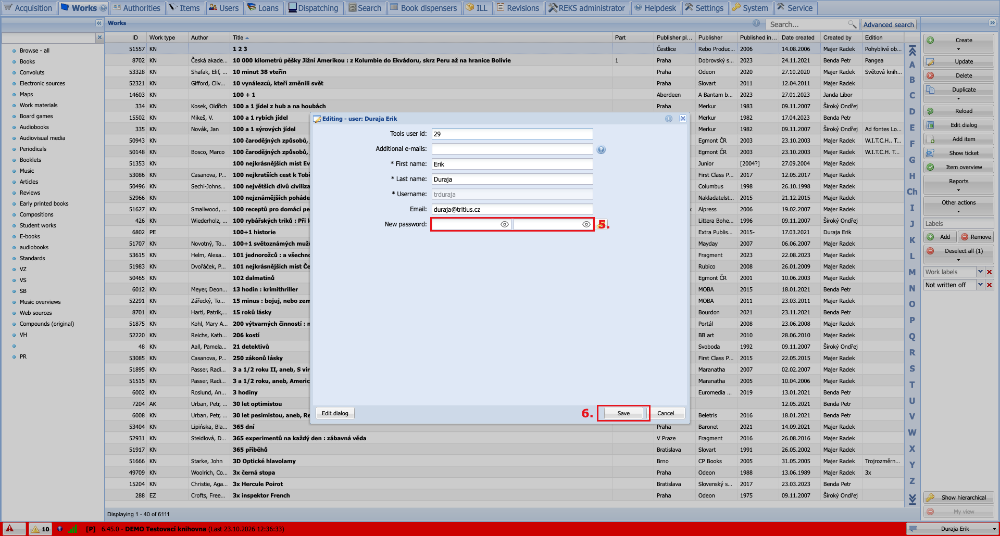
(fig. 3)