

Graphic guide to changing a box retrieval
This function allows the reader to change a waiting retrieval/reservation to a box retrieval.
Changing a box retrieval request by the reader
If the library has a book dispenser and this function is enabled, the reader can change a waiting retrieval or reservation to a box retrieval.
In the reader account, in the My Requests section, the reader will now find the Insert to box button.
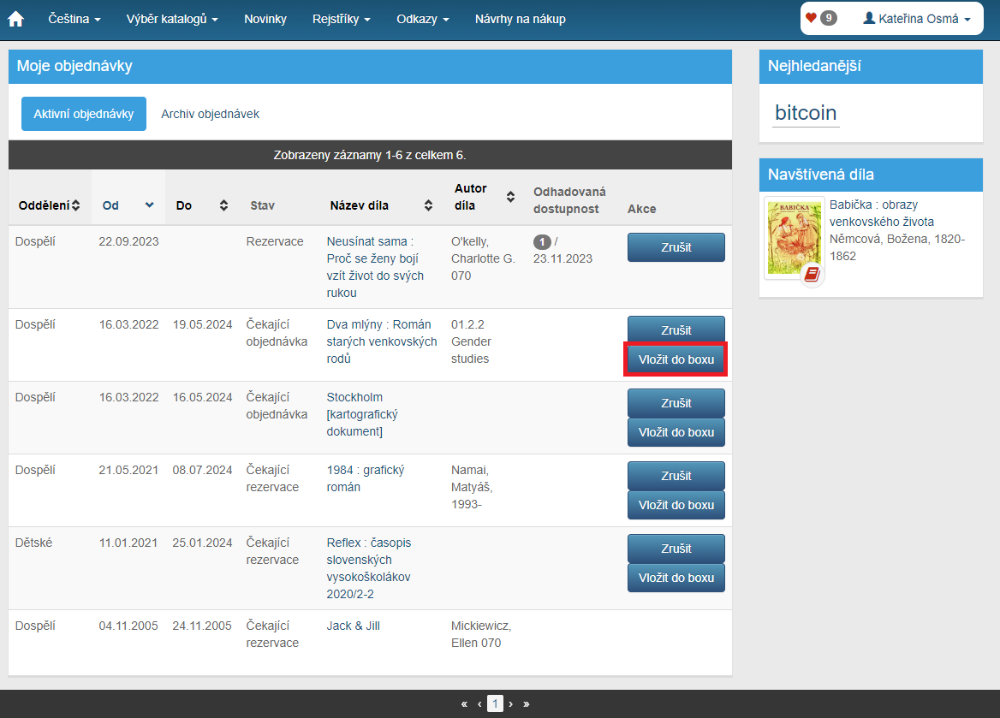
(fig. 1)
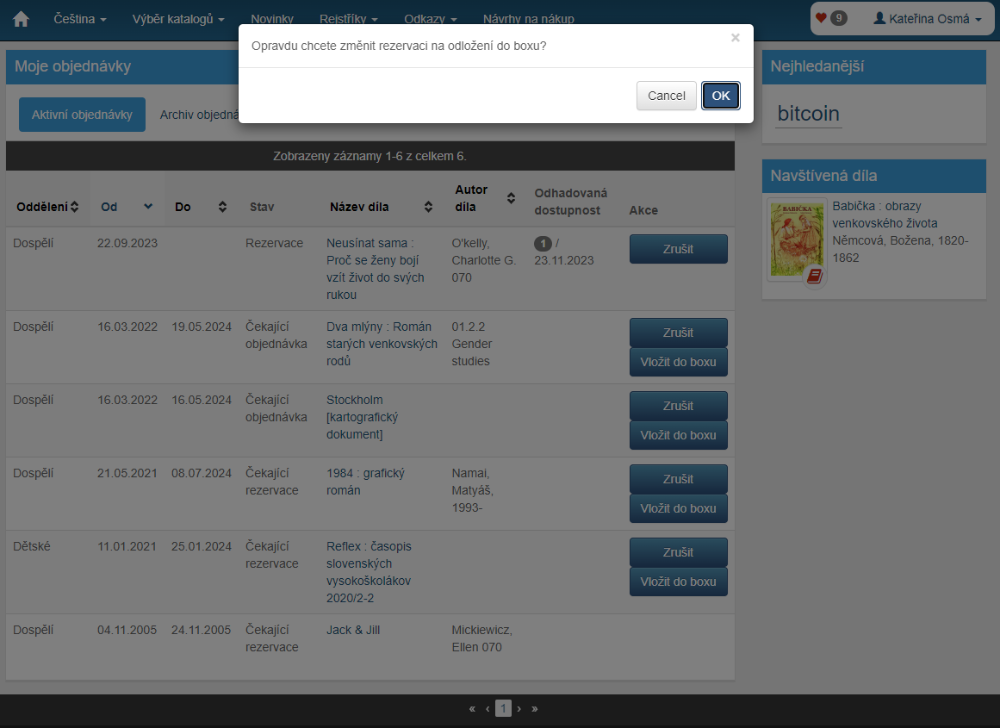
(fig. 2)
Handling a box retrieval request by the librarian
In the Action menu, click Requested actions.
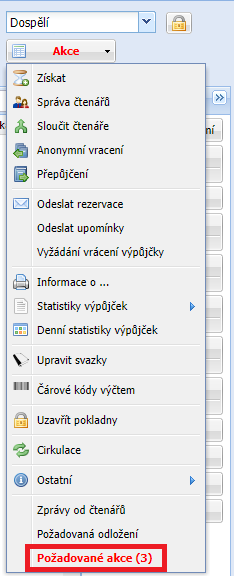
(fig. 3)
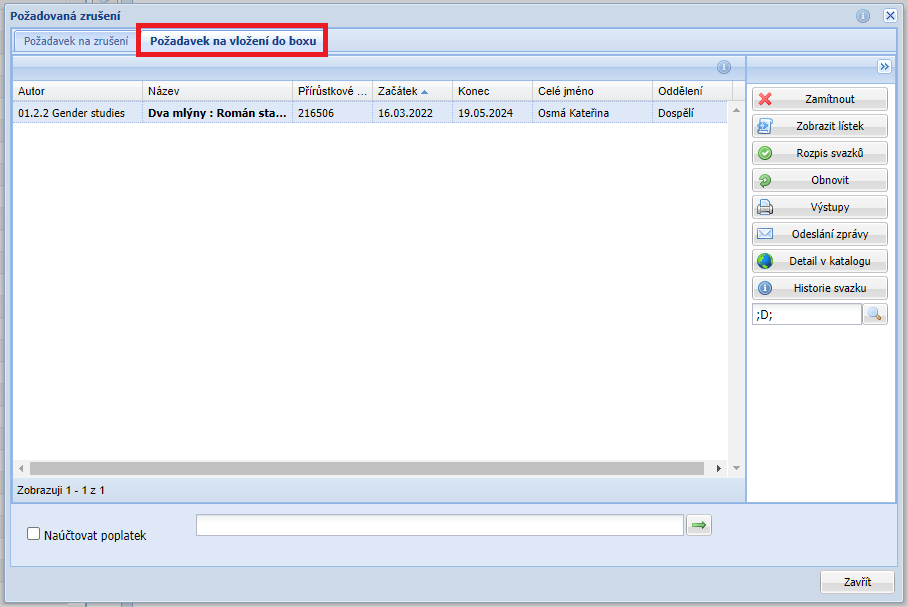
(fig. 4)
On the Change to box request tab there is a list of documents requested for box retrieval. Find the individual documents and gradually scan their barcode or RFID chip into the scanning field at the bottom of the form.
The operator can reject the box insertion request using the Reject button in the right-hand panel. The request then remains in the state of a waiting order/reservation.
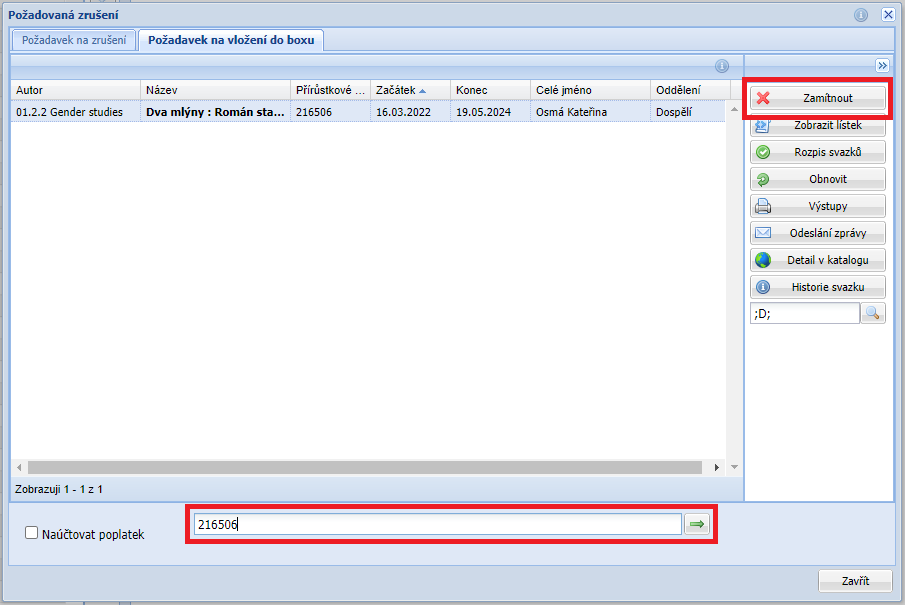
(fig. 5)
As the individual documents are scanned, the printer will issue slips to be placed in the document. For this function it is practical to have a receipt printer. The printing function can be turned off via our support portal.
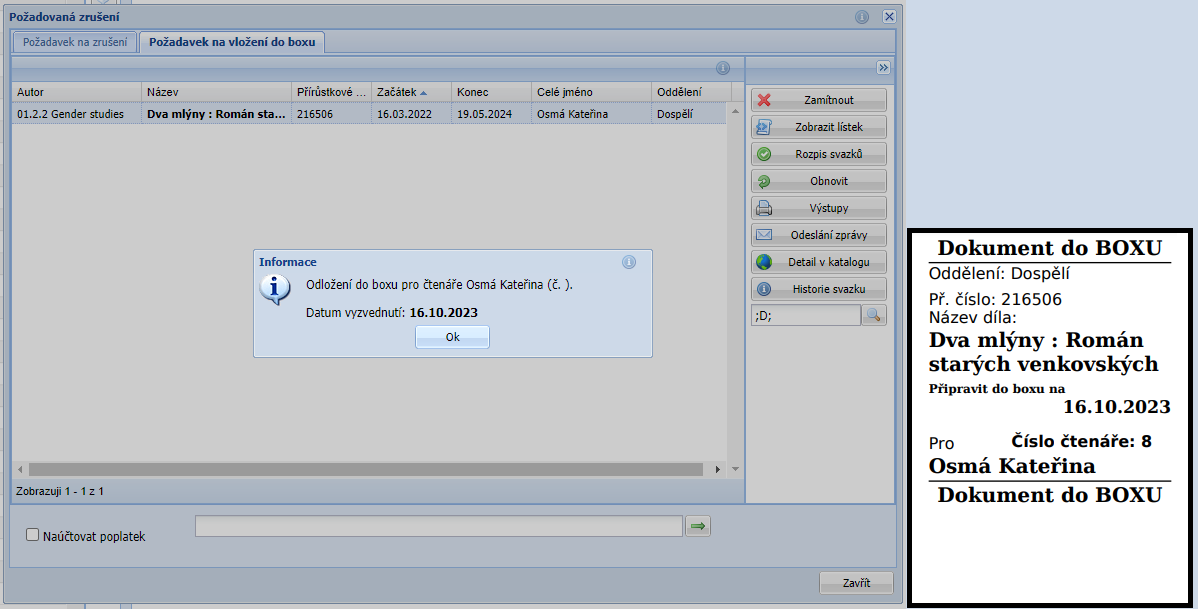
(fig. 6)
The newly created Waiting box retrieval must be handled in the Retrieval requests dialog, on the Box retrieval tab, with the "Waiting" filter.
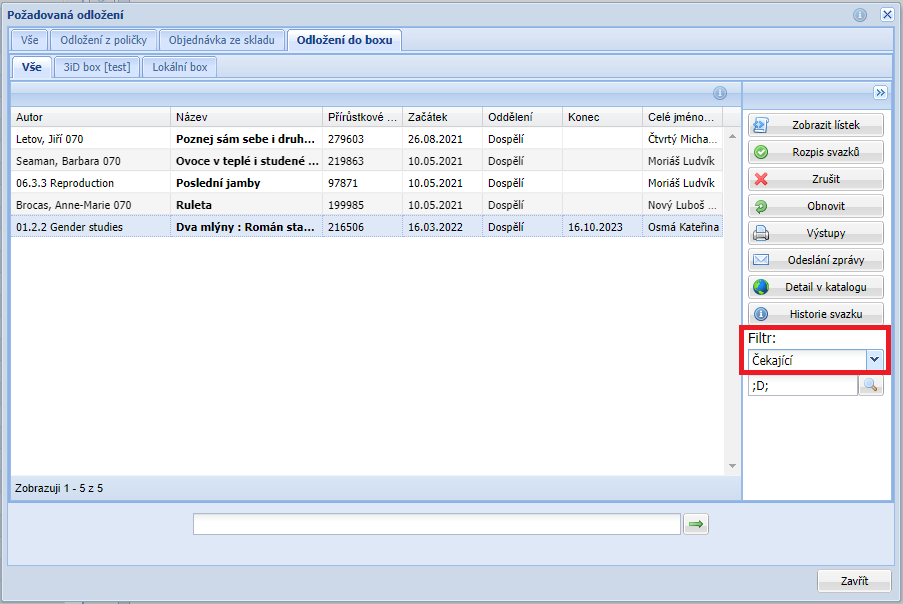
(fig. 7)