

Graphic guide to incoming ILL in Získej.cz
The management of ILL requests from Získej.cz is located in the new user interface, which we can enter from the ILL tab and the Získej.cz sub-tab.
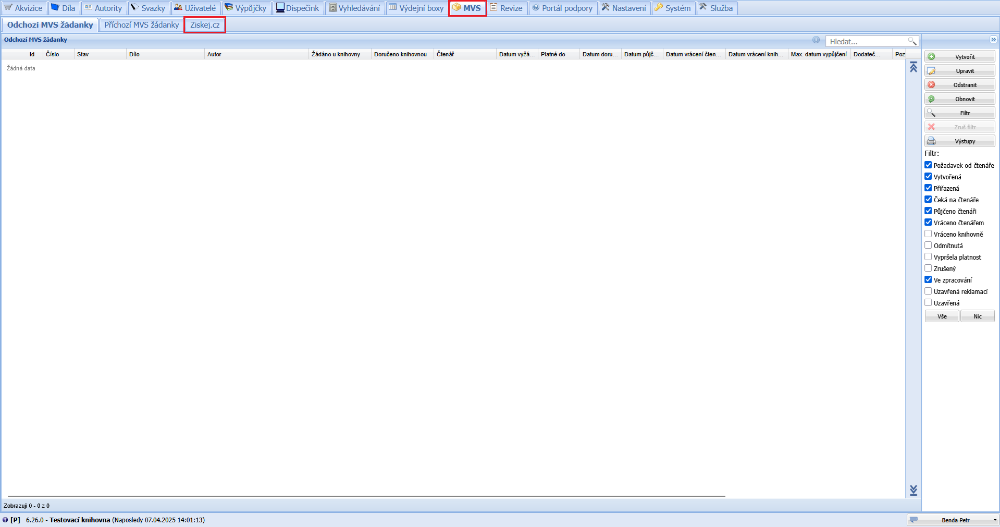
(fig. 1)
We process incoming ILL requests by selecting the ILL - Incoming ILL request option in the menu on the left and double-clicking to open the request we want to handle.
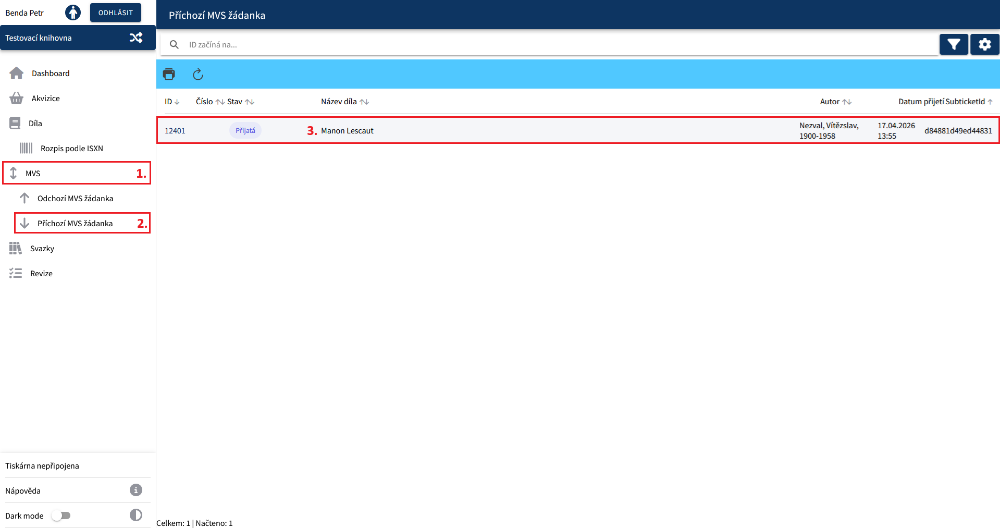
(fig. 2)
If we decide to accept and handle the request, we click the Accept button.
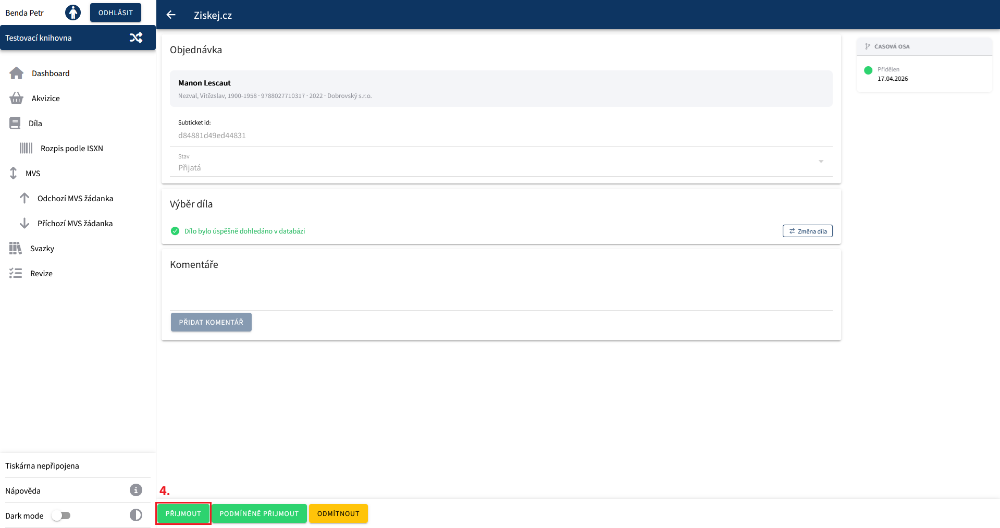
(fig. 3)
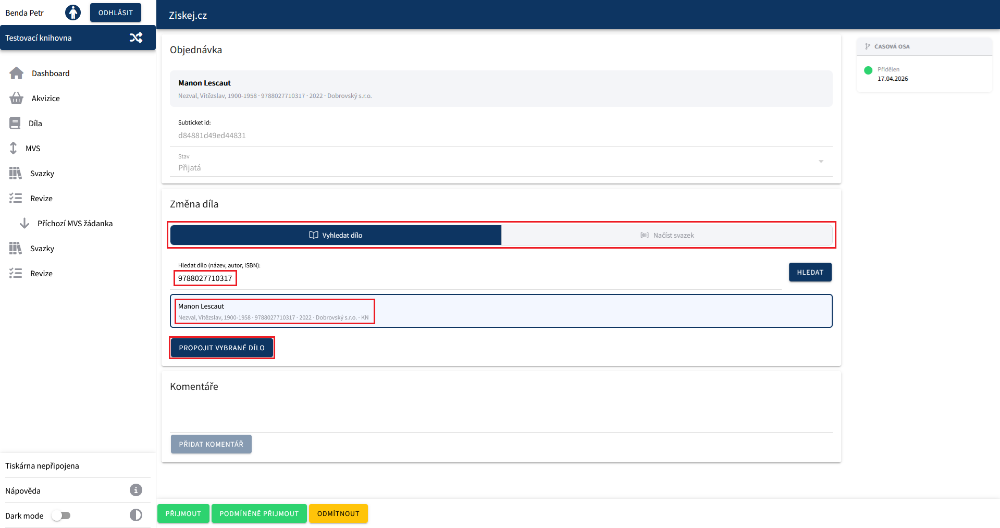
(fig. 3b)
Next, in the request form we can select the date by which we want the requesting library to return the document. If no date is selected, the end of the loan is set automatically as the return date once the item has been lent, based on the loan rule. The loan must be made through the circulation protocol. Clicking the Borrow button redirects us to the circulation protocol in a new panel.
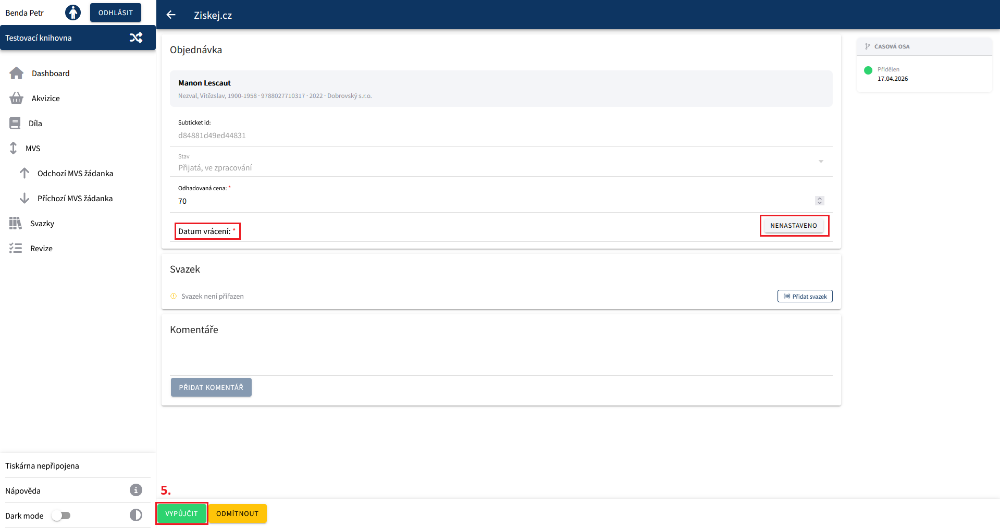
(fig. 4)
In the circulation protocol we register the arrival of the library and scan the item it requested.
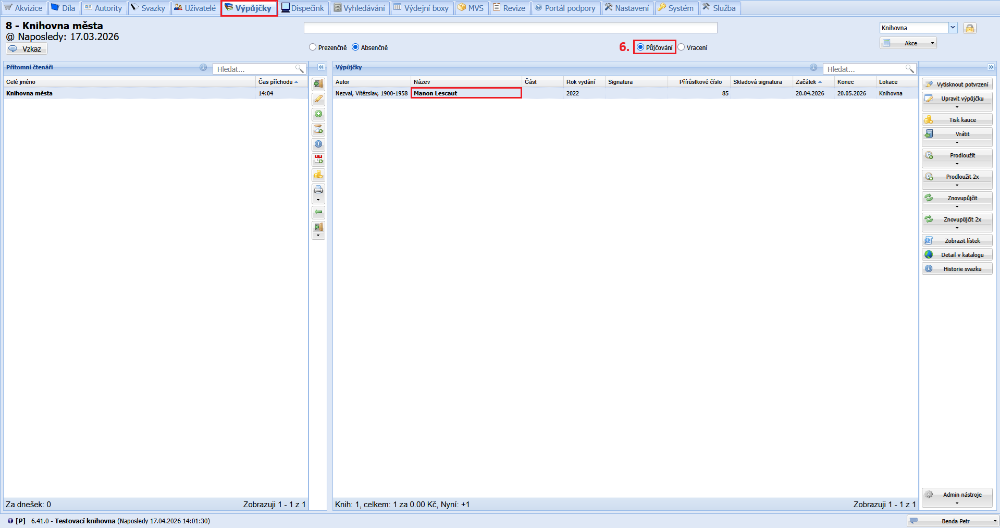
(fig. 5)
After the requesting library returns the document to us, we process its return in the circulation protocol. When the item is returned, Tritius automatically closes the incoming ILL.
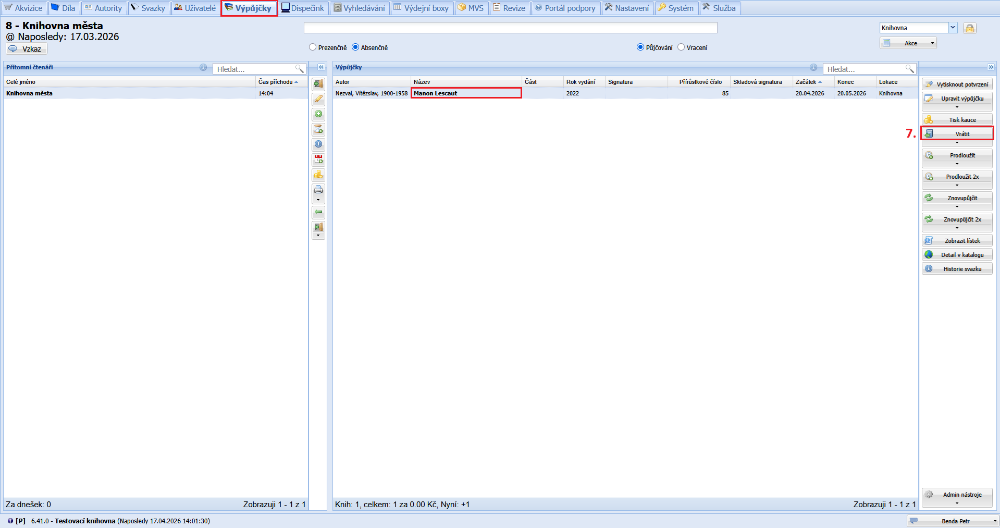
(fig. 6)