

Graphic guide to merging works
Last modified by Erik Duraja on 2026/10/23 14:12
On the Works tab we choose the work type whose records we want to merge. We search for the records and mark those we want to merge. Then we expand the Other actions button and select the Merge works option.
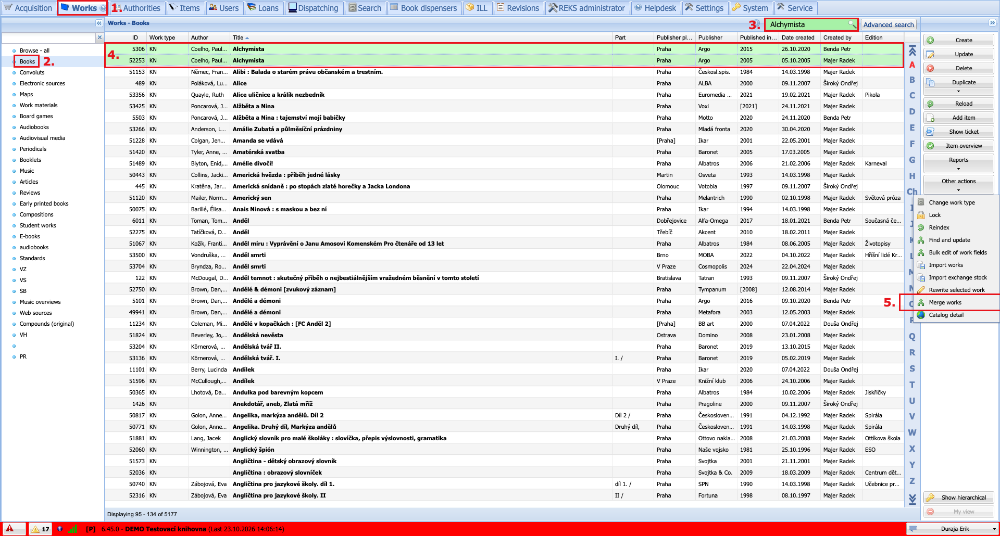
(fig. 1)
In the window displayed, we see on the left the works we marked, which will be merged, and on the right the items recorded for the works. In the Target work field we select the best record into which all the others will be merged. Finally, we click the Merge button.
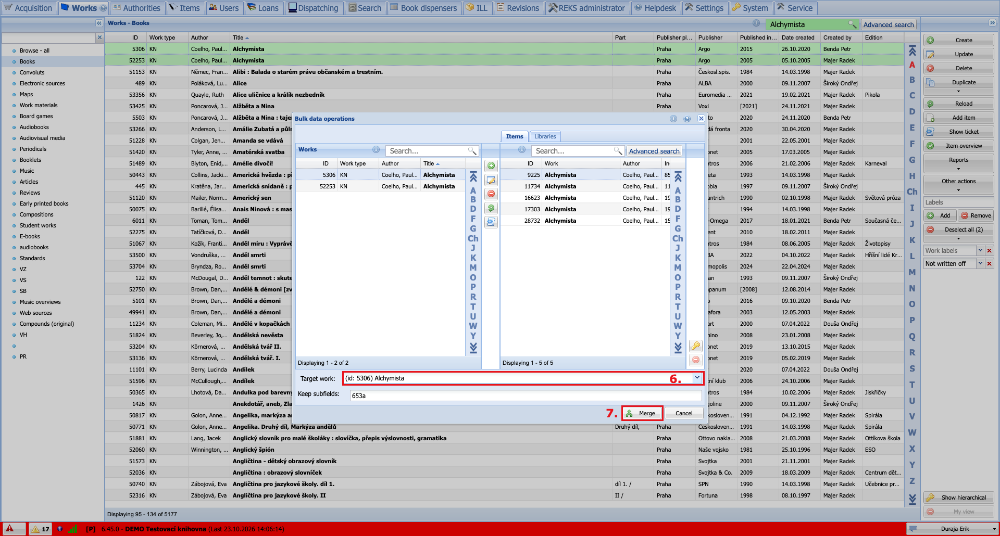
(fig. 2)