

Graphic guide to printing call numbers on book spines
Last modified by Erik Duraja on 2026/10/23 14:01
We print the call numbers for our documents on the Items tab. Here we click Advanced search and, on the Combined search tab, we enter the conditions by which we want to find the items for which we will be printing call numbers.
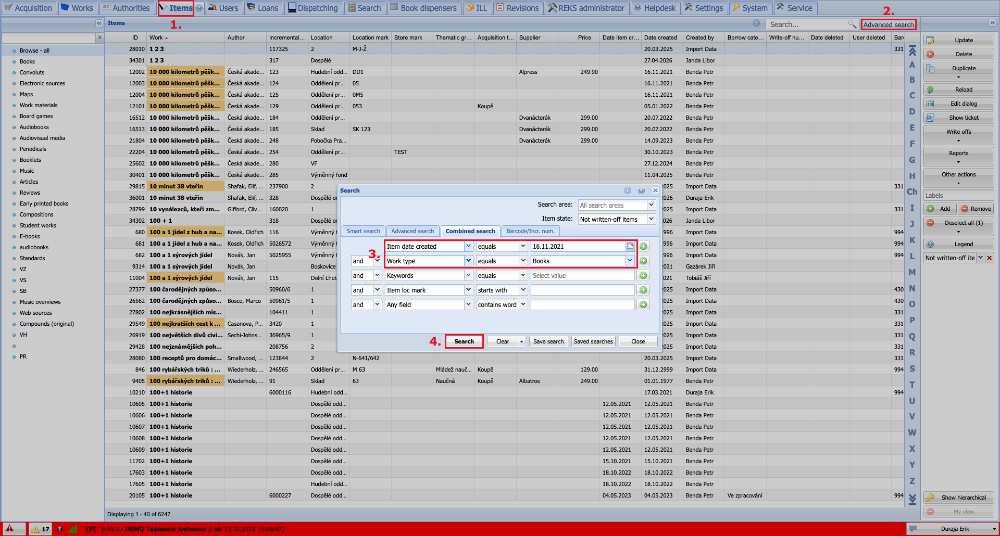
(fig. 1)
We can sort the items found as we like by clicking the header of one of the columns. Then in Reports we select Item loc marks to spines of book.
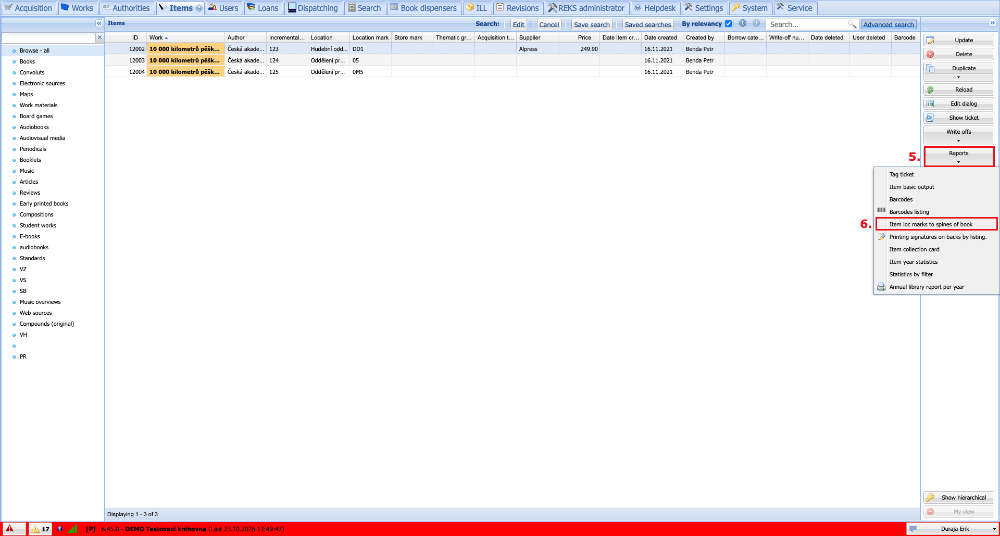
(fig. 2)
In the menu we choose the output and click PDF.
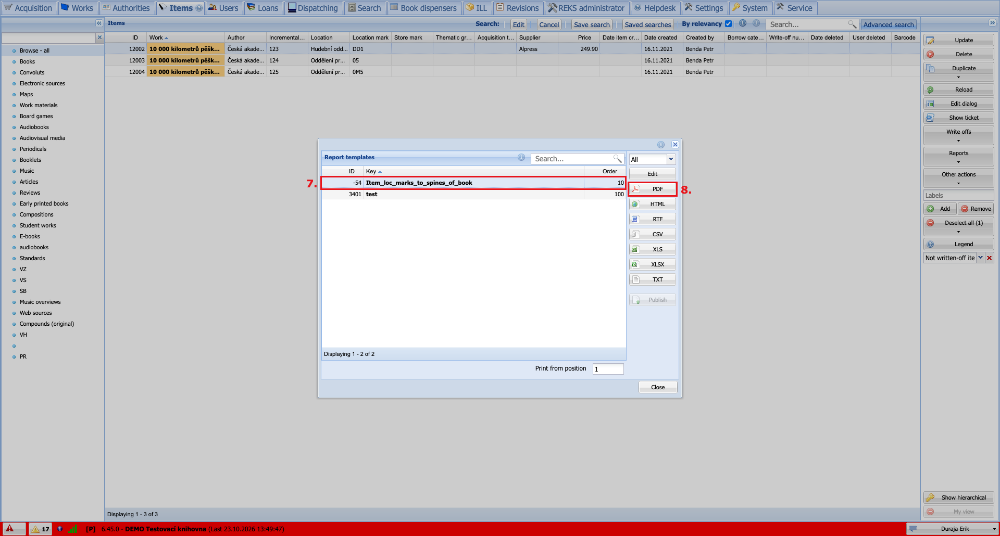
(fig. 3)
We open the generated file in Adobe Acrobat Reader and press the print icon. We select the printer we want to use for printing. It is important to select the Actual Size option so that the codes are printed correctly on the labels. When everything is set, we click Print and we are done.
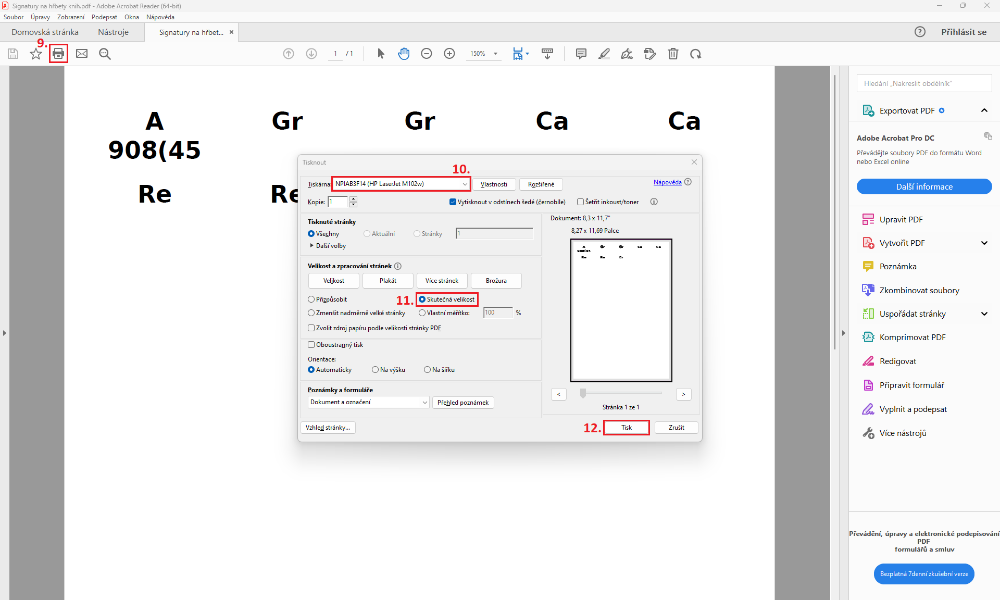
(fig. 4)