

Graphic guide to returning exchange stock to the parent library
Last modified by Erik Duraja on 2026/10/26 14:33
To return items to the parent library, we move to the Items tab. Here we expand the Other actions button and select Return to parent library.
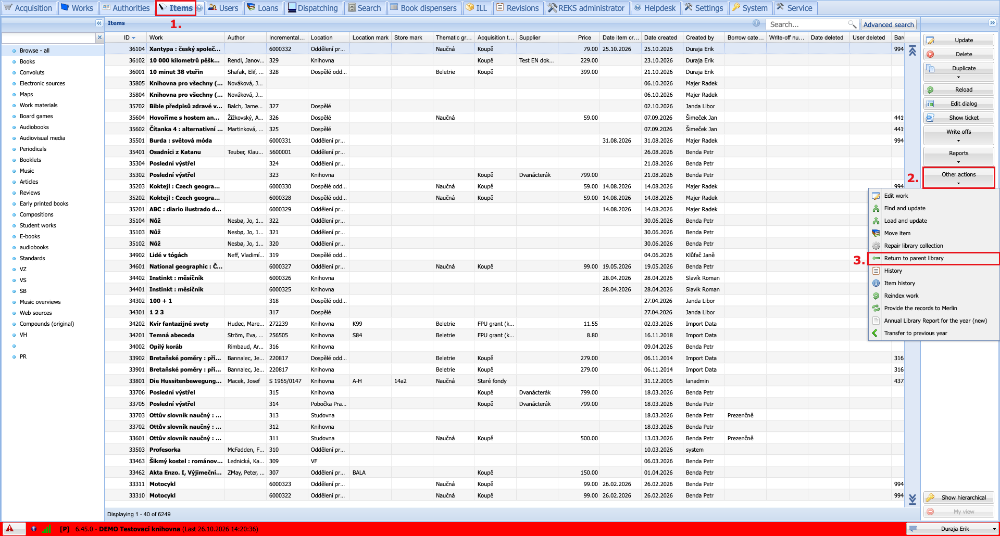
(fig. 1)
In the line at the top of the window we gradually scan the items that we want to return to the parent library. The scanned items gradually start to appear in the Items table. When all items are scanned, we click the Return to parent library button. This step moves the items from our library back to the parent library. At the same time, a PDF report is created in which all returned items are recorded. All these reports can then be displayed by clicking the Reports button.
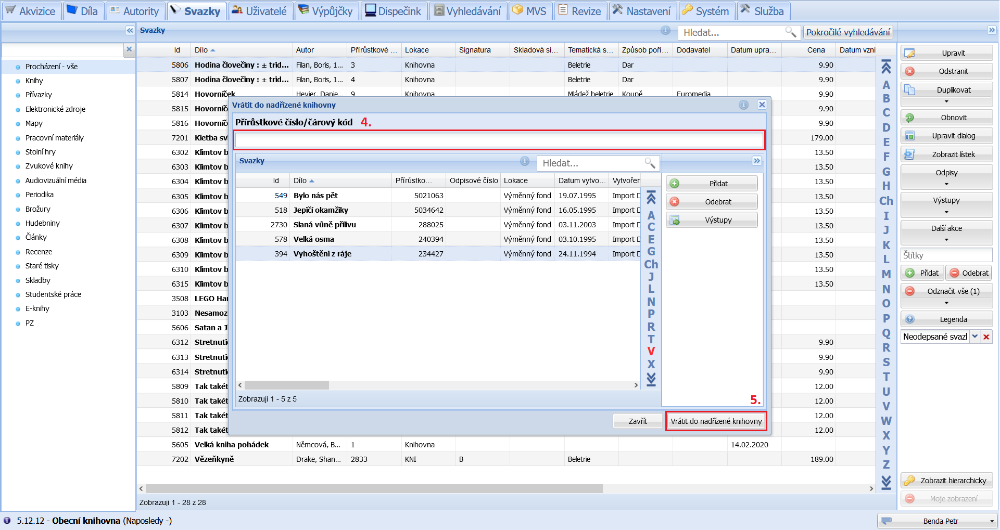
(fig. 2)