

Graphic guide to changing the document type
Last modified by Erik Duraja on 2026/10/23 14:13
We can change the type of a document on the Works tab. Here we search for the required work and mark it in the overview of records. Then we expand the Other actions button and select Change work type.
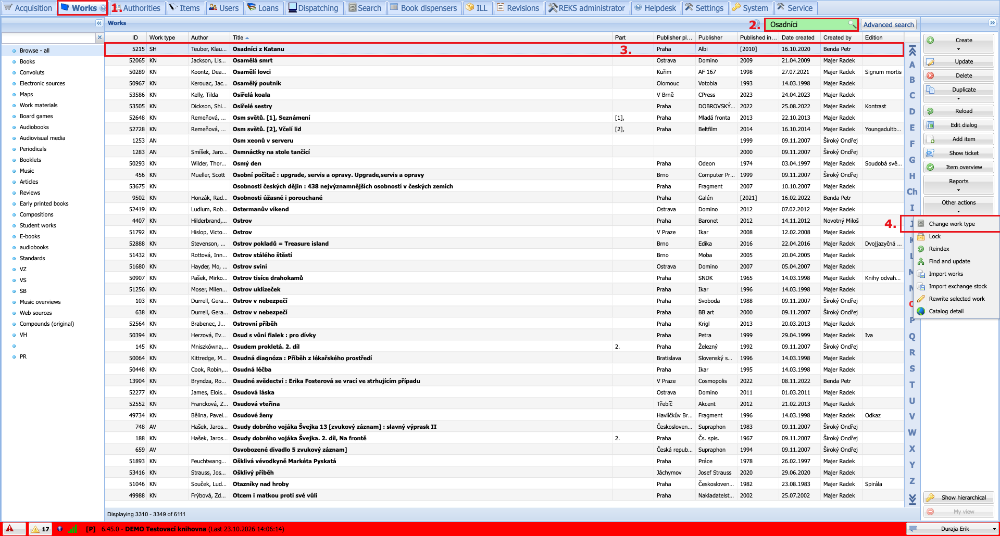
(fig. 1)
In the window that has opened, we select the new work type to which we want to change the work and confirm the change by clicking the Yes, change button.
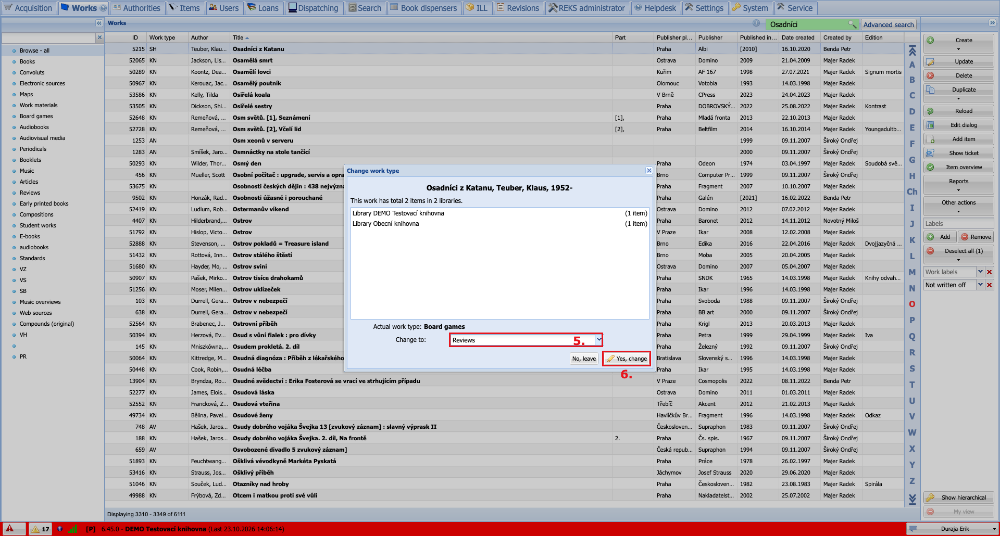
(fig. 2)