

Graphic guide to ILL in Získej.cz
The management of ILL requests from Získej.cz is located in the new user interface, which we can enter from the ILL tab and the Získej.cz sub-tab.
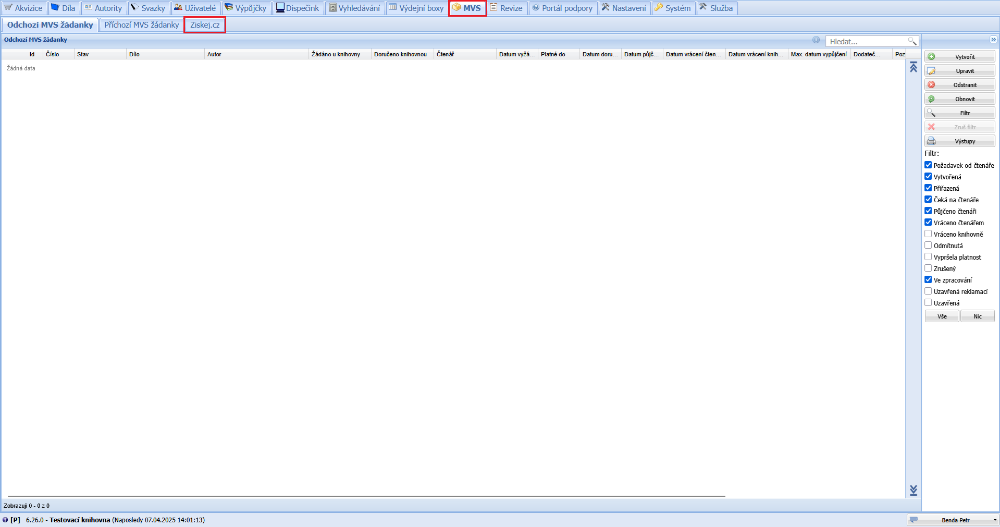
(fig. 1)
We create a new ILL request by selecting ILL - Outgoing ILS request in the menu on the left and clicking the button with the plus symbol. In the menu at the bottom of the screen we then choose Create in Získej.cz.
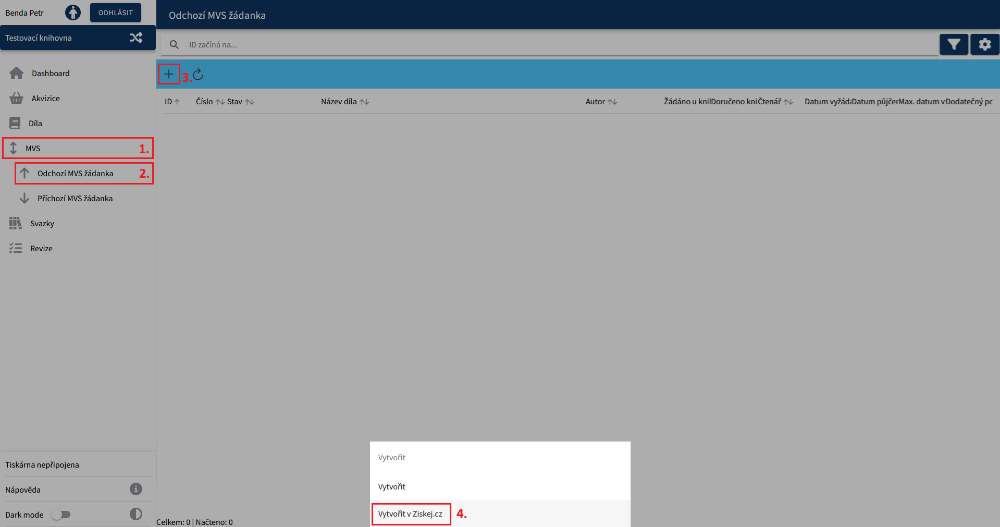
(fig. 2)
In the first step on the request form we select the reader for whom we will be ordering the document. Then we search for the document we will be ordering for the reader. From the search results we mark the required document by clicking it. Finally we save the request.
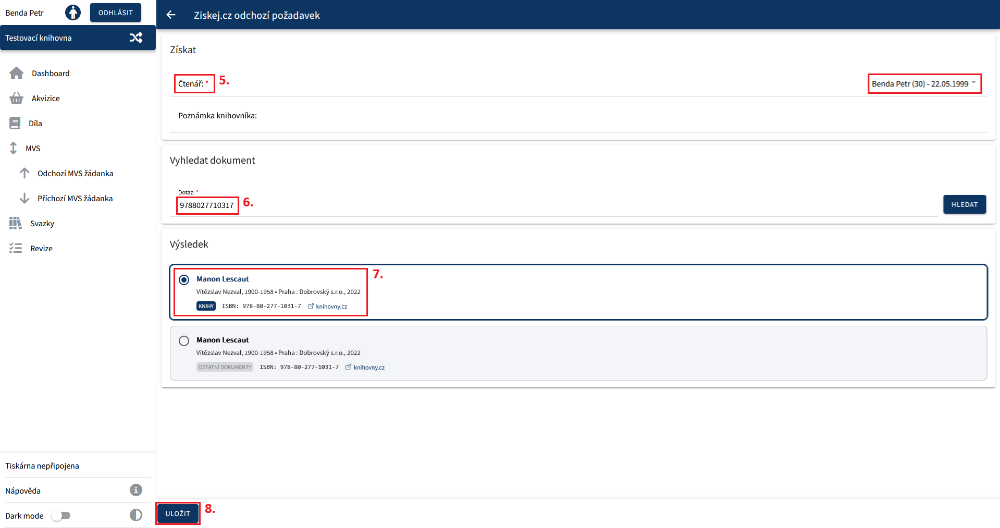
(fig. 3)
Then we select the library to which we will send the request. For this we can use the automatic library assignment function, which itself finds the most suitable library to fulfil the order, or assign the library manually. We then save our choice and send the request by clicking Approve and assign library.
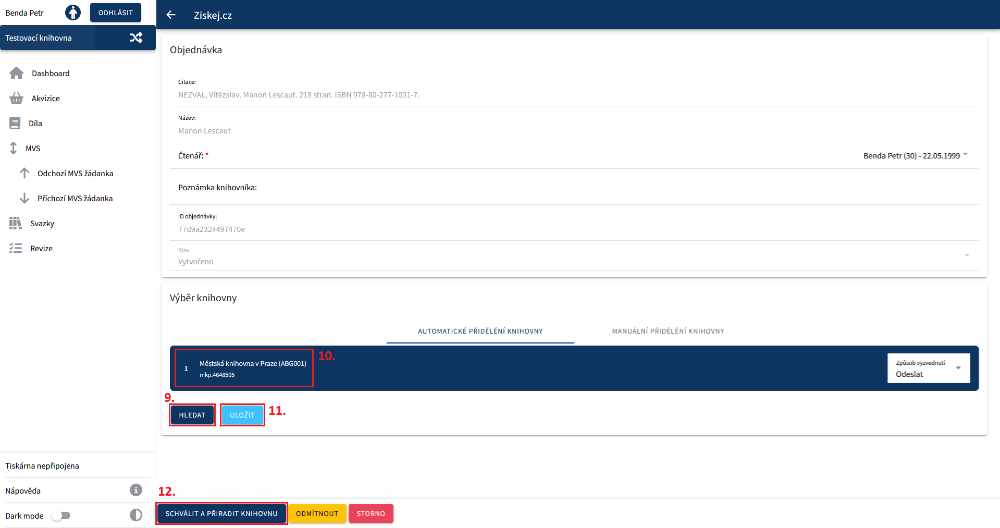
(fig. 4)
After the document is delivered to our library, in the request we enter the date from when the document will be ready for the reader to collect and by when the reader has to return the document. We save our choice. Then we prepare the document for the reader for collection. At the same time a reservation slip is printed and we are offered to send the reader a notification about the waiting reservation. The Lend to reader button then also appears, which redirects us to the loan protocol to carry out the loan.
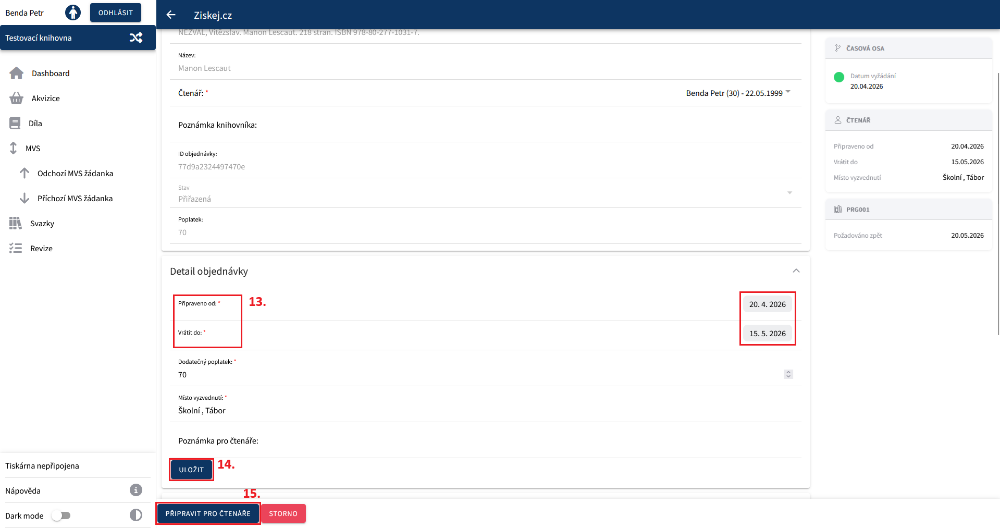
(fig. 5)
The loan of the document takes place in the usual way in the loan protocol. When the reader arrives, an information window appears in which we can Lend to reader the document.
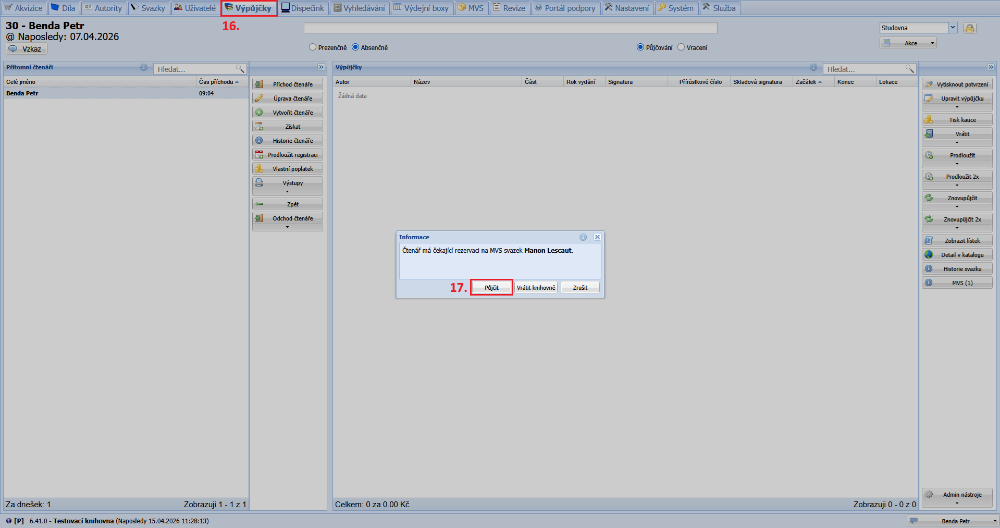
(fig. 6)
After the loan, the reader incurs a fee for using the Získej service. When the reader brings the document back to us, we carry out its return.
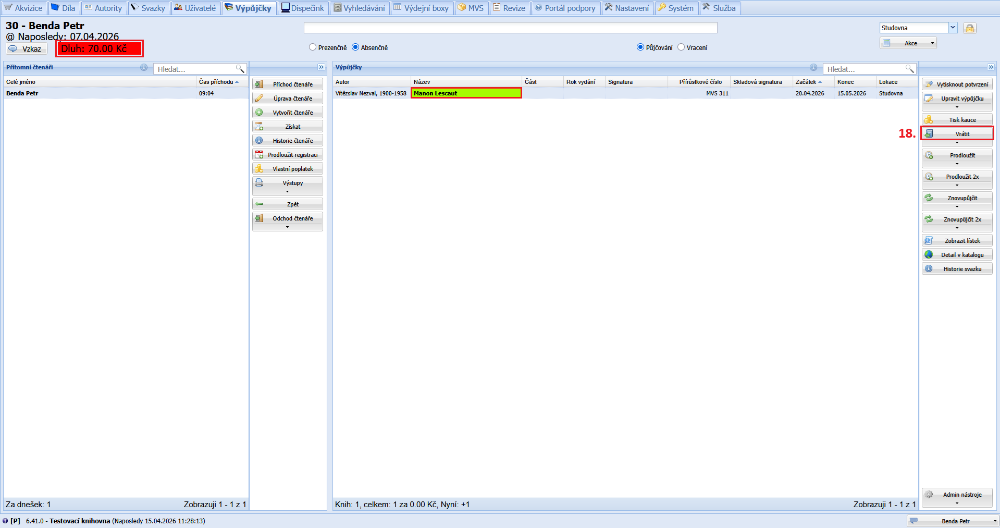
(fig. 7)
As the last step in the ILL request, we return the document to the library that lent it to us.
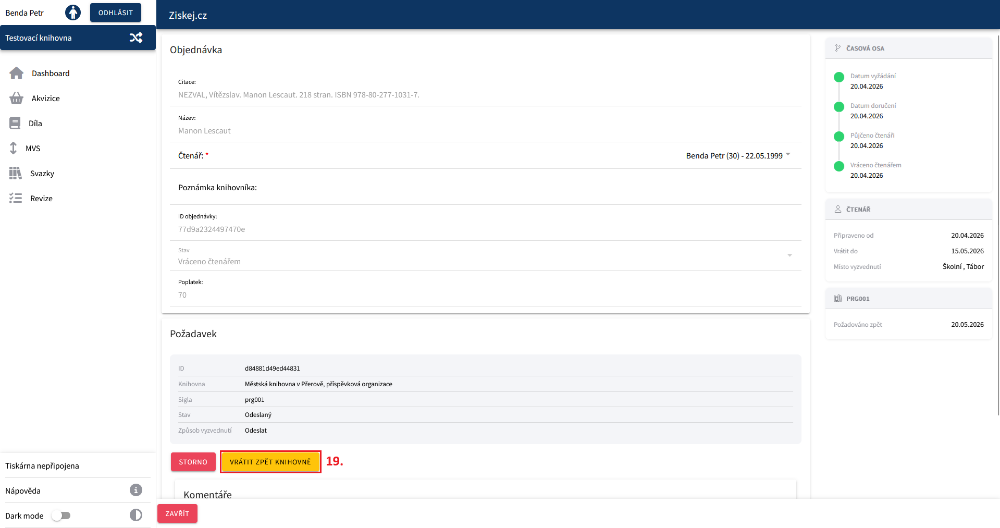
(fig. 8)