

Graphic guide to exporting a file for the Union Catalogue of the Czech Republic
To be able to export the data, we must first filter it. On the Works tab we select the document type whose records we want to export and choose Advanced search.
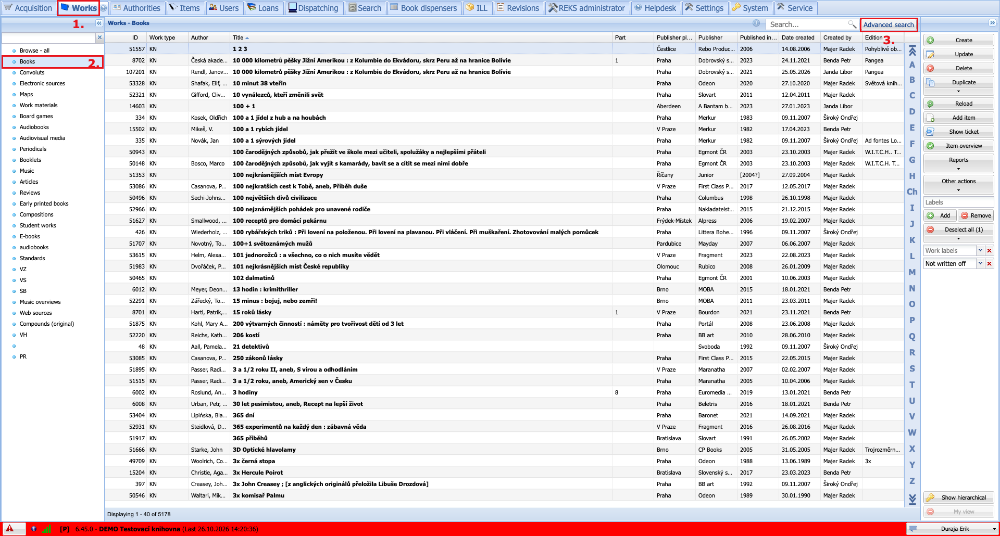
(fig. 1)
We go to the Combined search tab, where we enter the condition for the works that we want to export. Most often this will be the Item date created. To apply the filter, we press Search.
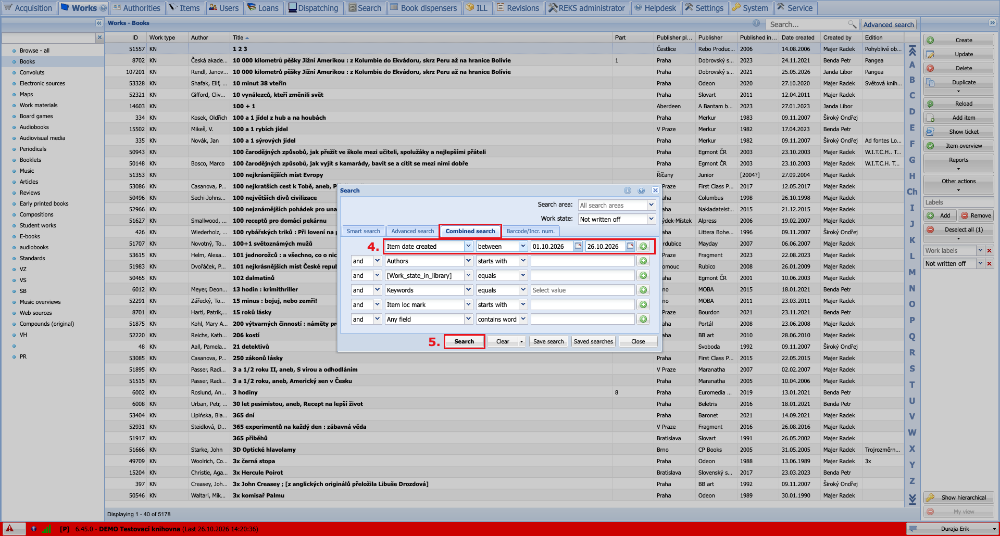
(fig. 2)
The table now shows only the works that meet the entered condition. Their number can be seen at the bottom left below the table. Next we expand Reports and select Tag ticket.
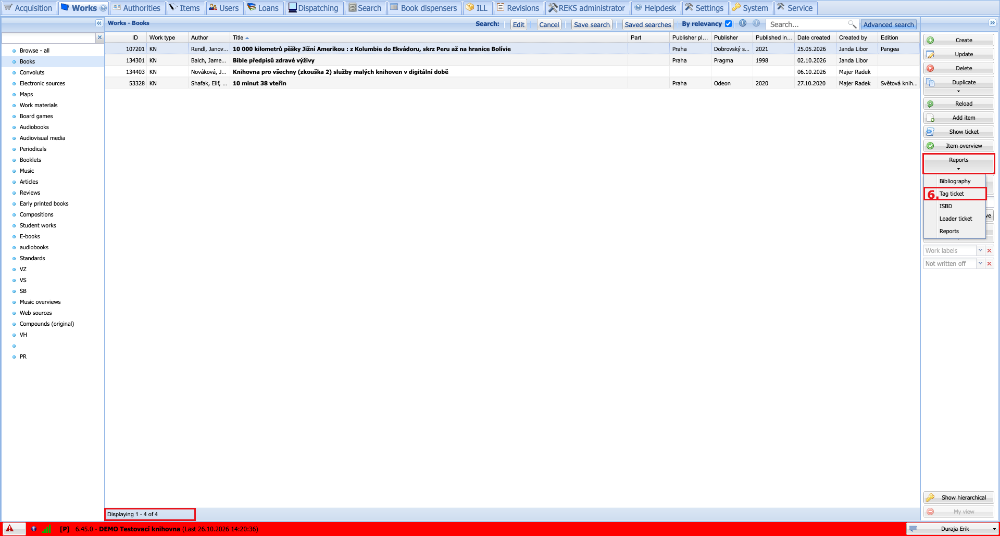
(fig. 3)
In the reports dialogue we check that All is selected in the drop-down at the top right. This exports all the records found. Then we choose the report Tag ticket (optimized for TXT) and the file format TXT.
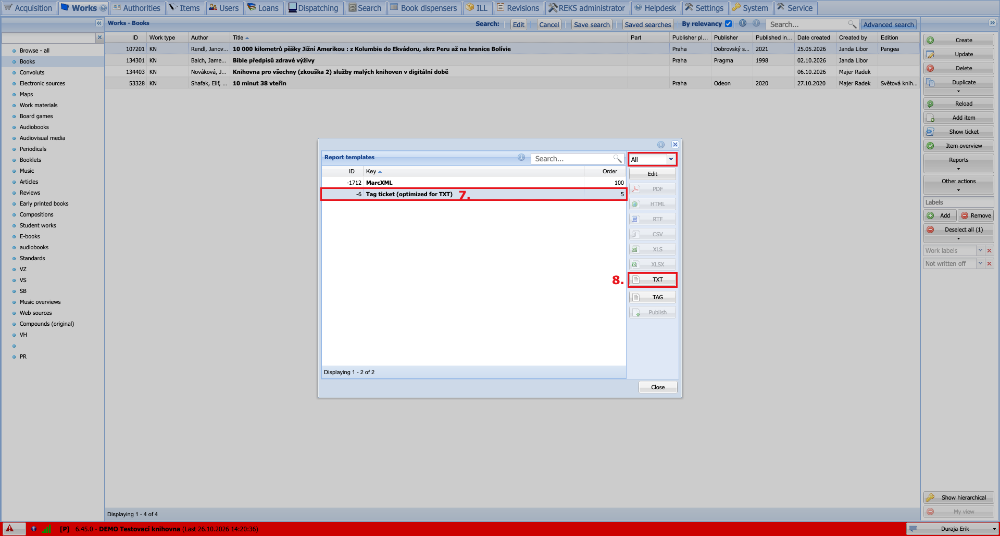
(fig. 4)
As soon as the export of the records finishes, a window pops up for opening / saving the file. We choose save and download the file to the computer.
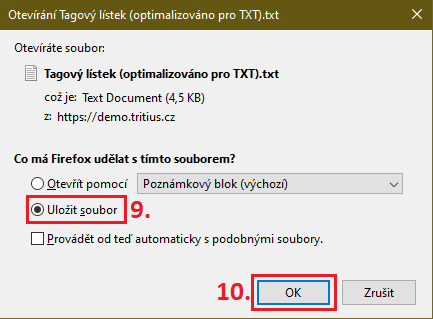
(fig. 5)
We find the saved file on the computer, right-click it and select Rename. The file name must contain the following parts:
- library siglum: (e.g.) tag001
- UTF-8 encoding: uc
- followed by the file name extension separator: . (dot)
- line MARC21 format: mar
- followed by an underscore: _
- date in the format: YYMMDD
Example of a name: tag001uc.mar_20201310.txt
A detailed list of requirements that the file name must meet can be found at https://www.caslin.cz/caslin/spoluprace/jak-prispivat-do-sk-cr/dodavani-dat/konvence-pro-pojmenovani-souboru.
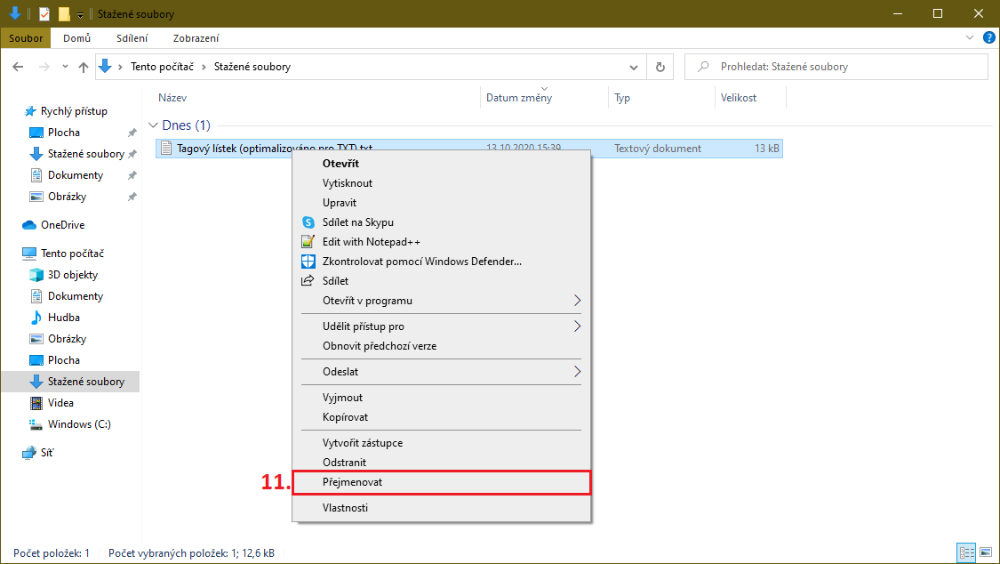
(fig. 6)
We then send the correctly named file to the administrators of the Union Catalogue of the Czech Republic. Instructions for uploading the file via FTP can be found at https://www.caslin.cz/caslin/spoluprace/jak-prispivat-do-sk-cr/dodavani-dat/navod-na-pripojeni-ftp.
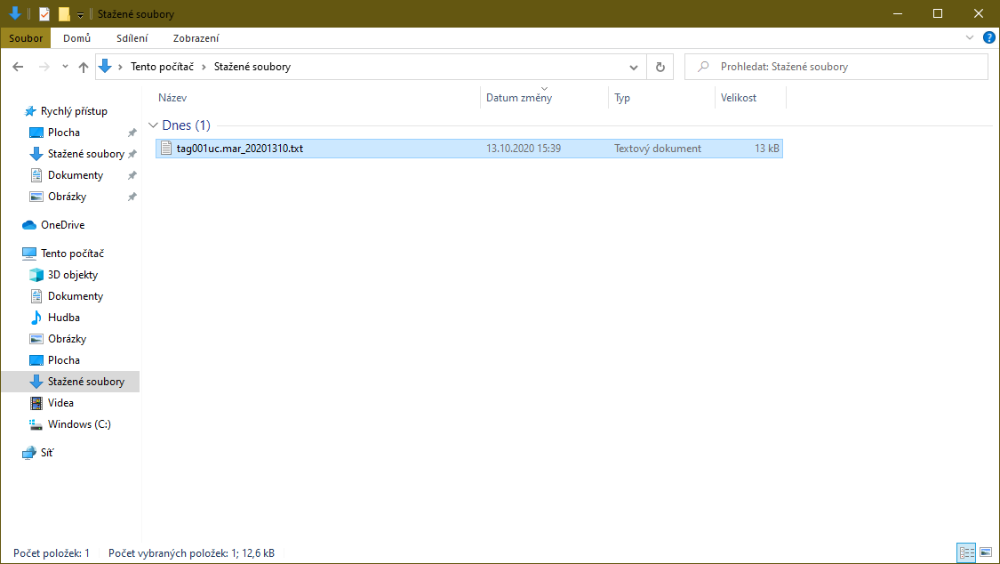
(fig. 7)