

Graphic guide to cataloguing on a shared server
Creating a new record
a) We have existing records to choose from. We use them when we do not need to add anything to the work, or at most need to add some information, e.g. a keyword.
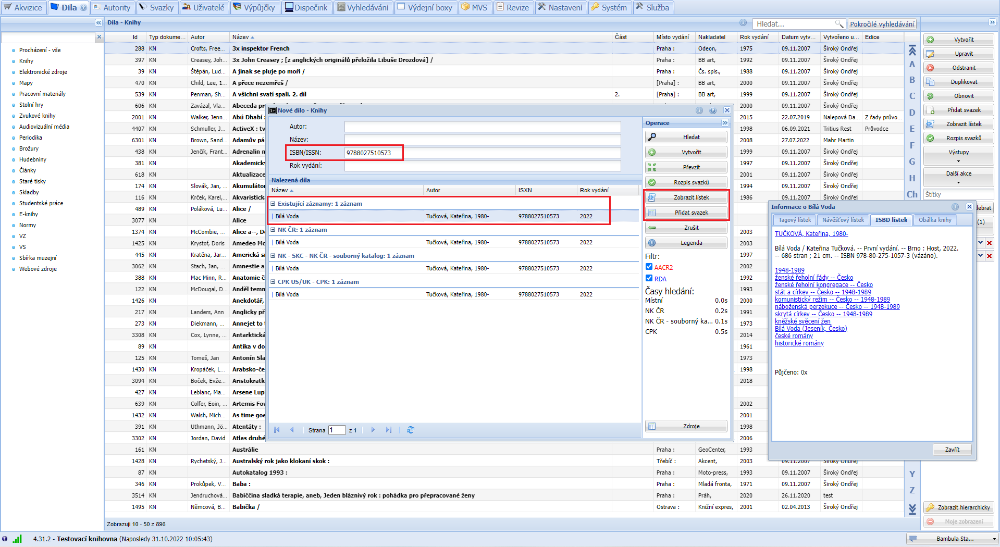
(fig. 1)
b) We do not have an existing record to choose from. In that case we take over the work from the National Library of the Czech Republic (NKP) or the Union Catalogue (SKC).
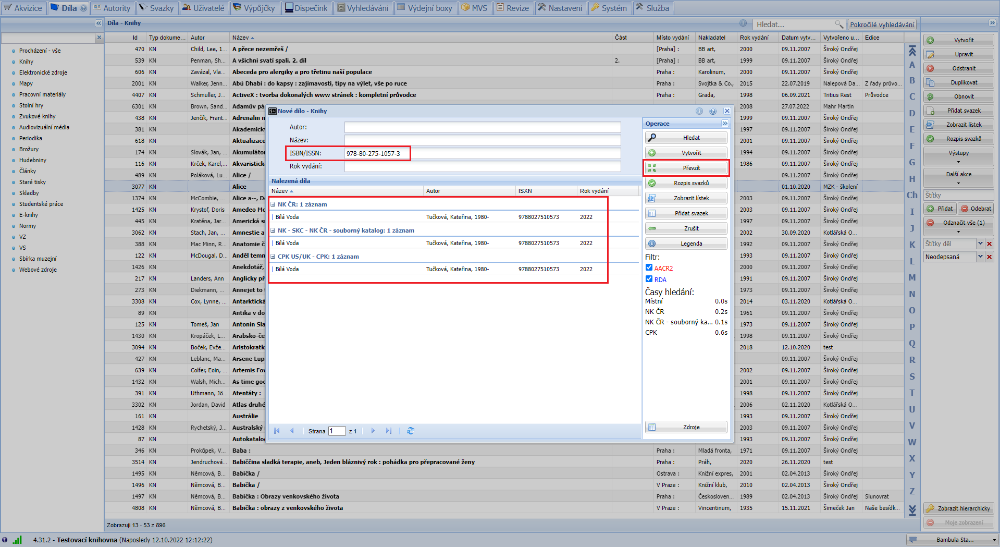
(fig. 2)
c) If we have an existing work to choose from, but its form does not suit us, we download the work from NKP or SKC and in the following step ignore the offer of the existing record in the database - we choose the Create new option.
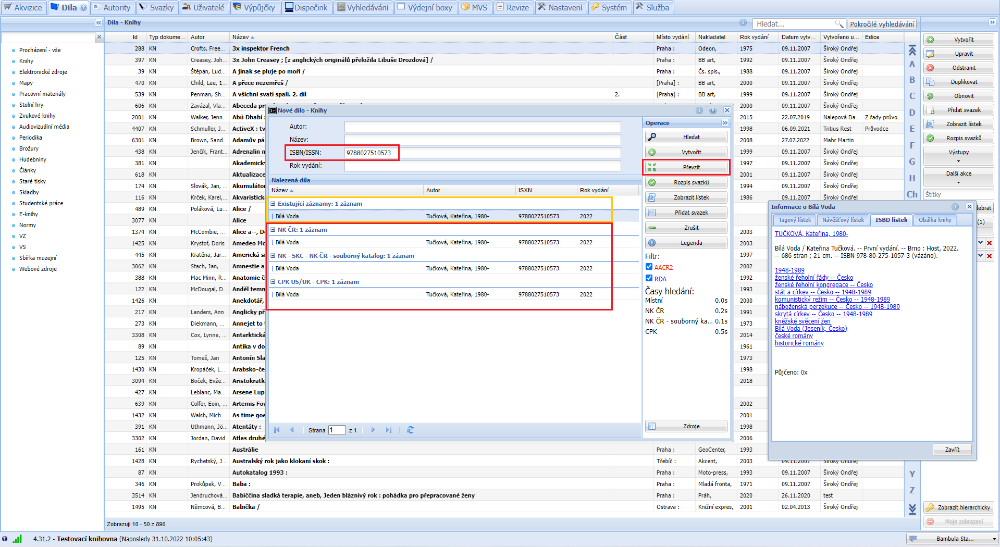
(fig. 3)
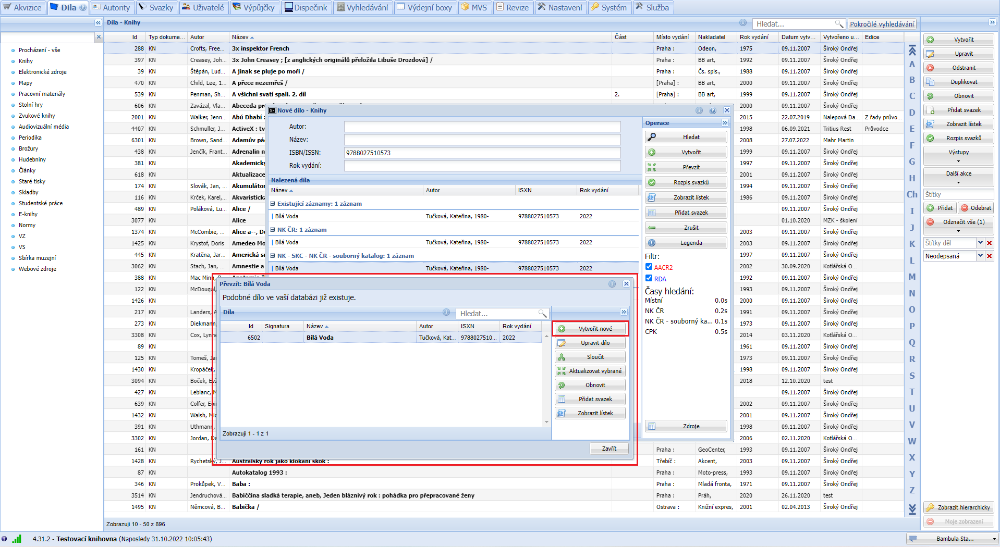
(fig. 4)
Editing a record
When editing, we need to bear in mind that the work may be shared with other libraries, and therefore we can edit only that information which does not actually change the meaning of the work. This is, for example, adding another keyword, correcting typos, adding an annotation, etc.
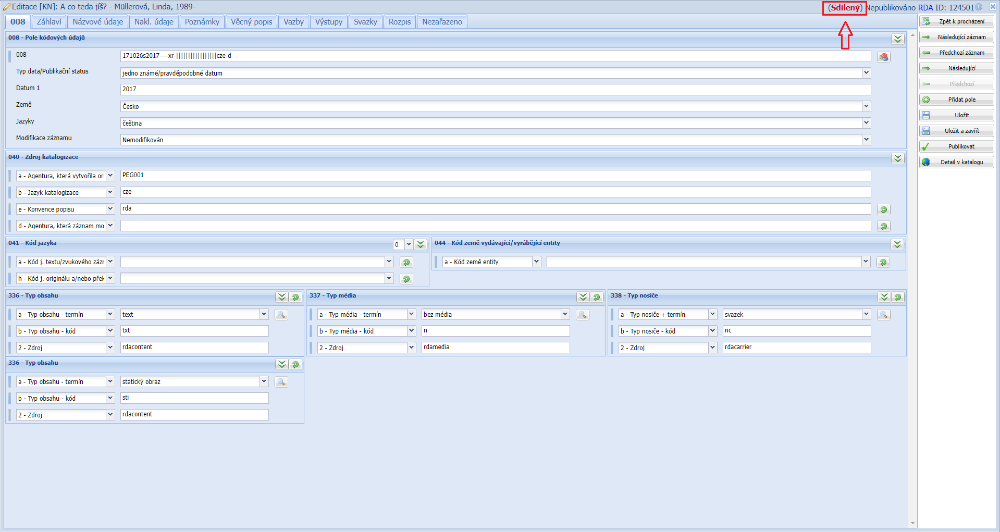
(fig. 5)
When essential fields of a record are edited, the operator will also be warned by Tritius itself (also from version 5.6.0). The warning applies to editing fields 020, 100, 245, 260 and 264.
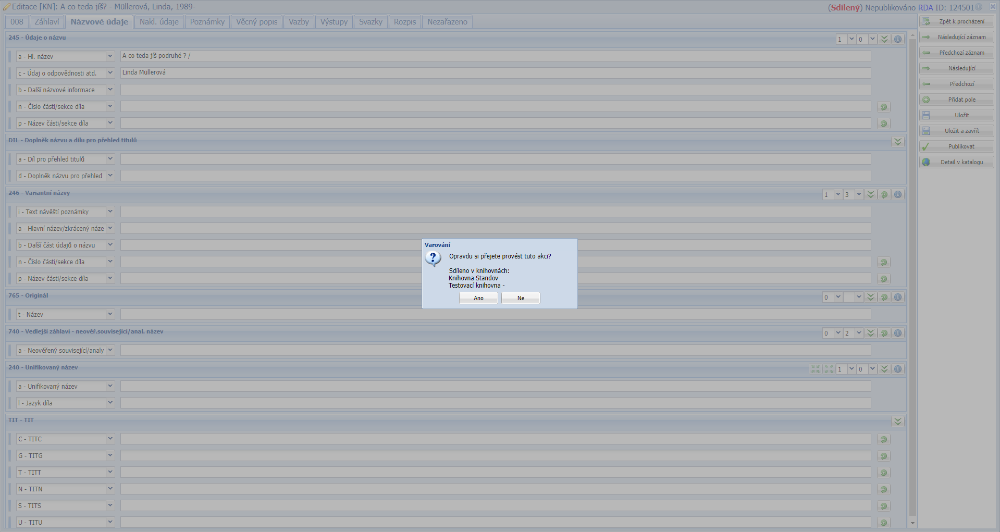
(fig. 6)
Actual change of a record - correcting the title, author, etc.
In such a situation we recommend using the Move item option. That is, we create a new record by downloading it from NKP or SKC and move the item to it - Graphic guide to moving items between works .